All guidesInteriorSheet 9.04
Furnish a room with the assistant and decide what stays
The assistant works on one variant of the interior. It reads the rooms of the home, asks when something is unclear, and proposes a layout. Nothing changes until you apply the proposal. Enable AI indexing, audit, and assistant for this project must be ticked in the project settings, under AI and notifications; each answer is paid from the project's AI credit.
Write what you want
In Design open the variant and press Assistant. In the box What should be here? write in your own words what the home should have, and press Send. While the assistant works, the window says what it is doing. For the variant, see Furnish the home in a variant and walk through it.
Answer the card
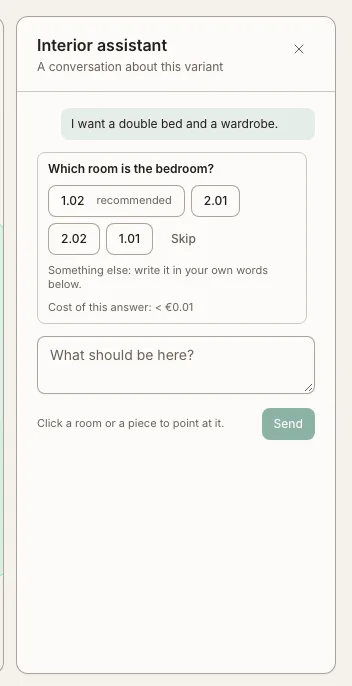
When something is unclear the assistant asks with a card: a question with ready answers, one of which may be marked recommended. Press the answer, or Skip; any other answer is written in the box below. After the answer the assistant proposes a layout and says what it adds.
Look at the proposal and apply it
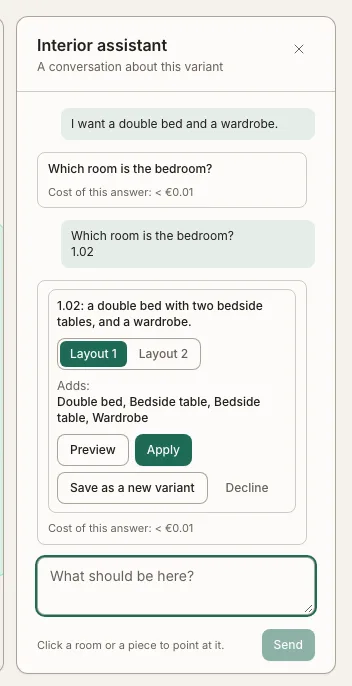
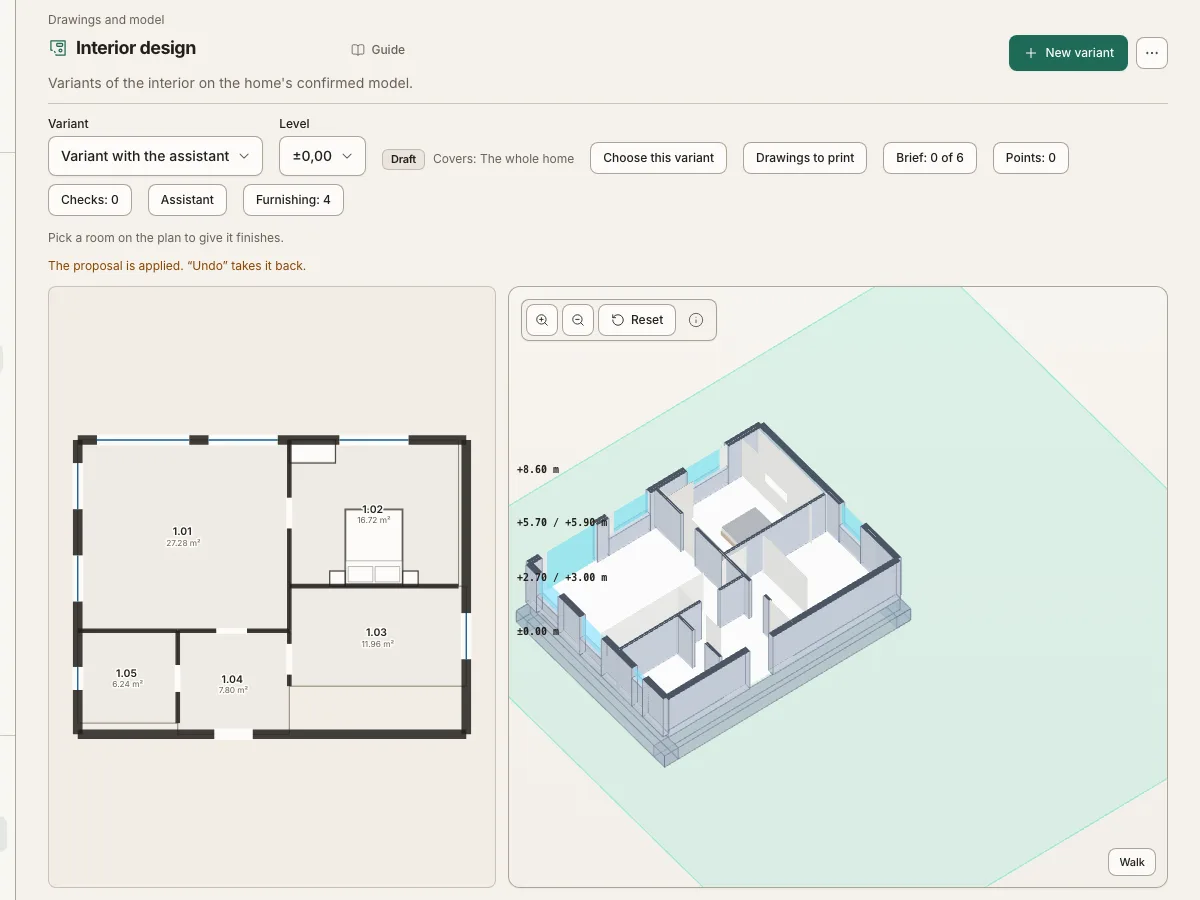
Preview shows the layout on the plan and in 3D without changing the variant. Apply writes it into the variant; under Furnishing, Undo the last change takes it back. Save as a new variant leaves the variant as it is and makes a new one with what is proposed. Under each answer is what it cost.
Decline a proposal
If you do not like the layout, press Decline: the variant stays as it is. When the proposal has several layouts, you choose between them with the buttons under its text; the one shown is declined and the others stay; after the last one the proposal no longer waits for an answer. Write to the assistant what should be different and it proposes a new one. A proposal made before the variant was changed by hand cannot be applied; ask for a new one.