All guidesBill of quantities, offers and costsSheet 4.06
Work out the materials and build a basket
The materials come from the recipes of the bill's rows: with waste, and rounded up to whole packs. From here you buy them at retail, from the stores you choose.
Read the rows
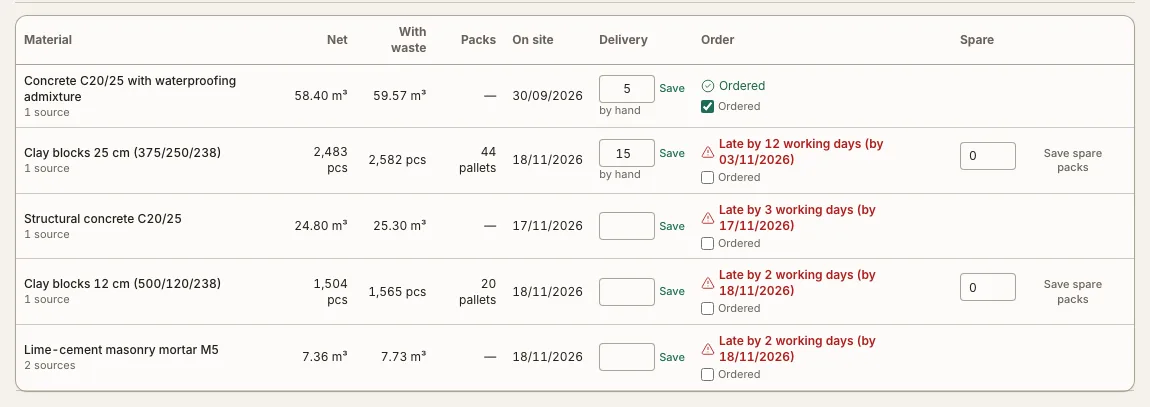
In Packages open Materials. Each row is one material: Net, With waste, Packs and when it is due on site by the schedule.
Link a store
In Retailers paste the product's address into Product address (https://…), write the Quantity per pack in the material's unit and press Link retailer. A material can have several stores.

The price from the page
Where the store allows it, Check price reads the price off the page. Where it does not, open the page, enter the Price per pack, € incl. VAT and press Save. The price is kept with its date.

Build a basket
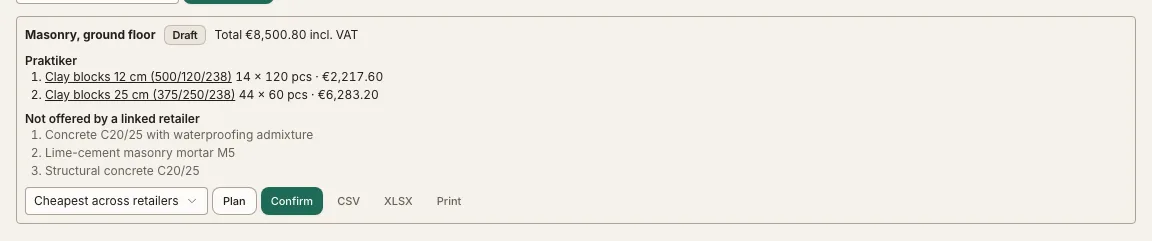
In Baskets write the Basket name and press New basket. Choose Cheapest across retailers or One retailer and press Plan: each material goes to a store, and what no linked store sells is kept apart.
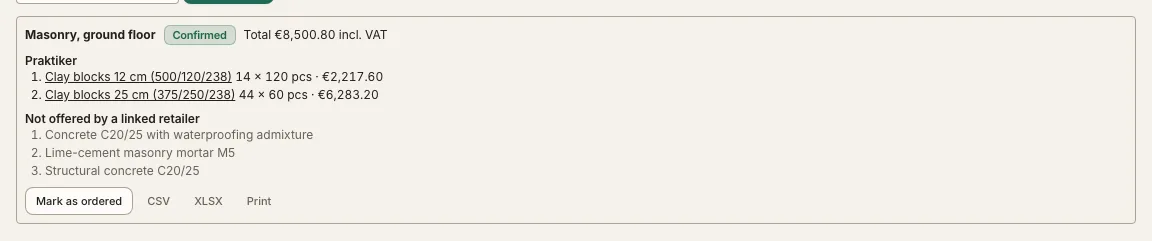
Confirm and download the list
Confirm locks the basket with its prices: it no longer changes. The shopping list downloads as CSV or XLSX, or prints; once you have ordered, press Mark as ordered.