All guidesAccount and dataSheet 8.02
Your data: download, hand over, delete
Your data is yours: you can download it at any time, also on a lapsed plan. Here an owner leaving Ravno takes everything with them and leaves the house to the co-owner.
Download your data
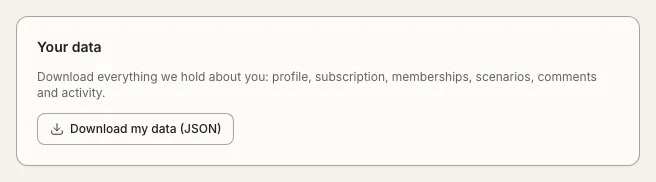
In your profile menu, under Profile and data, Your data downloads in one JSON file everything Ravno holds about you: your profile, subscription, memberships, scenarios, comments and activity.
Download the whole project
In the project's settings, under General, More actions → Download the whole project prepares a ZIP: every file by discipline, the project's records and a manifest with checksums. It is built in the background and Ravno e-mails you when it is ready; the archive can be downloaded for 7 days. Only the owner can do this.

Delete a project
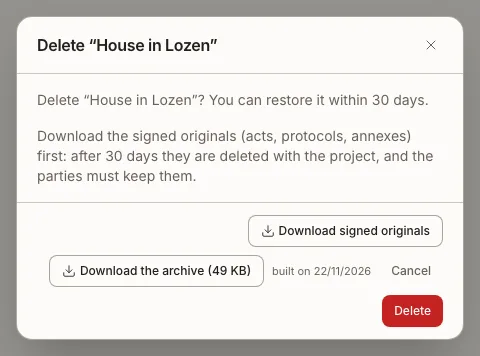
In My projects the project's menu has Delete. The window first offers the signed originals and the whole project to download: after 30 days they are deleted with it.
Restore the project
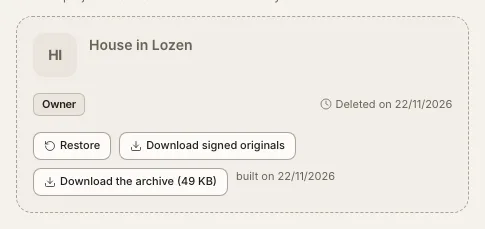
A deleted project stays for 30 days in the folded list of deleted ones, below the other projects, with the date it was deleted. Restore brings it back with everything in it.
Hand the project to another owner
Under People and invitations, Make owner beside a member makes them the owner, and you stay on as an editor. The new owner needs an active subscription with a free project slot: from then on the project runs on their plan.

Delete your account
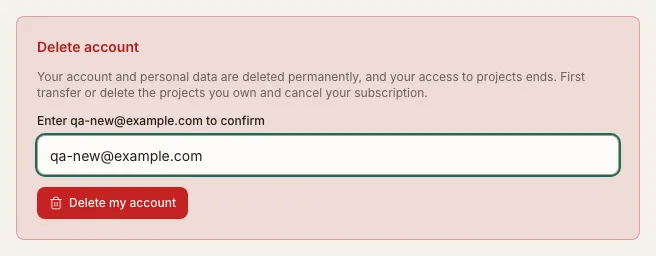
First hand over or delete the projects you own and cancel your subscription (Subscription, packs and a lapsed plan). Then under Profile and data, in Delete account, enter your e-mail address and press Delete my account. Your account and personal data are deleted for good.