All guidesConstructionSheet 5.02
Freeze a baseline and test a scenario
A baseline is the schedule as it stood on a day, with its dates, value and prices; it never changes. A scenario is a what-if kept beside the programme without changing it.
Freeze a baseline
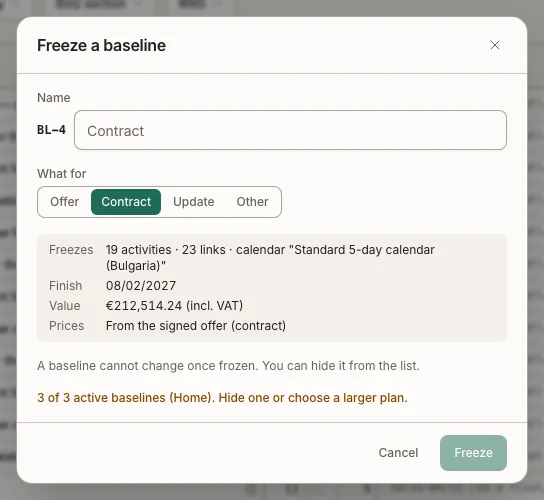
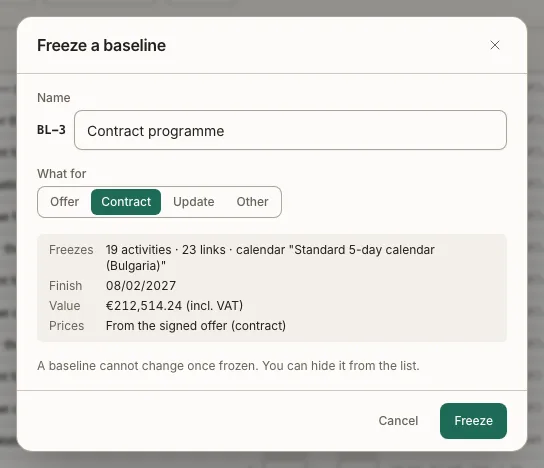
In Schedule open More actions › Freeze a baseline…. Give it a Name, choose What for and check what it freezes, then Freeze. A frozen baseline is only hidden, never changed.
See what moved
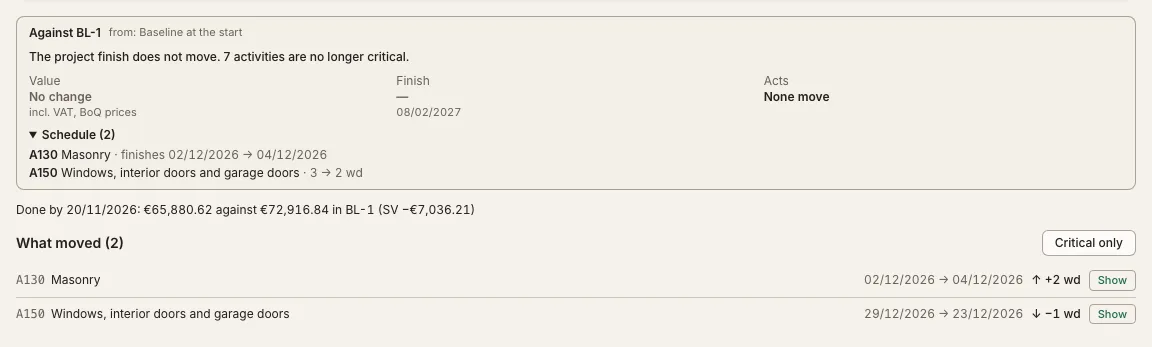
Compare with chooses the baseline. On S-curve the card below the curve lists what moved against it and what was done against what was planned; Critical only keeps only the critical activities.
Try a slip
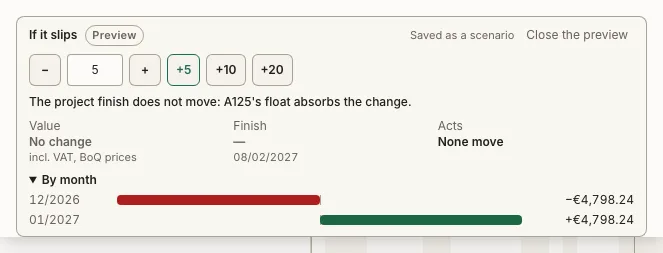
Open an activity's Links and value and press If it slips…. Choose how many working days it slips: the sentence says what moves and what it costs. Save as a scenario keeps the slip; the programme stays as it is.
Compare a scenario
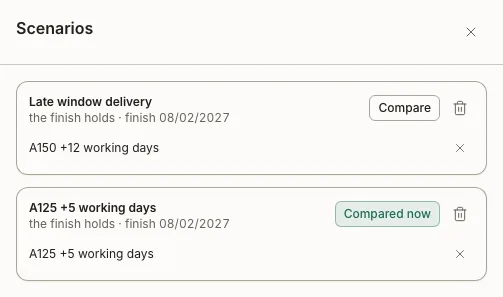
Compare with › Manage the scenarios… lists the scenarios with their changes. Compare shows one beside the programme on the schedule's pages; Delete the scenario removes it.
How many baselines
The Home plan keeps three active baselines in a schedule; past them, hide one or choose a larger plan. The Professional plan keeps twenty, and Business has no limit.