All guidesGetting startedSheet 1.01
Look around the demo without signing up
The demo is a whole project for a made-up house, Sunrise House: drawings, a 3D model, a bill of quantities, offers, a schedule and acts. You look around without an account or a sign-in, and nothing in it can be changed. All you need is a browser and about five minutes.
Open the demo
On the home page, press Try the demo; Demo in the top bar does the same (on a phone: in the Open menu menu). The project's overview opens. The bar at the very top reminds you that the demo is read-only and that the project and its data are made up. The demo lasts as long as the browser tab is open.
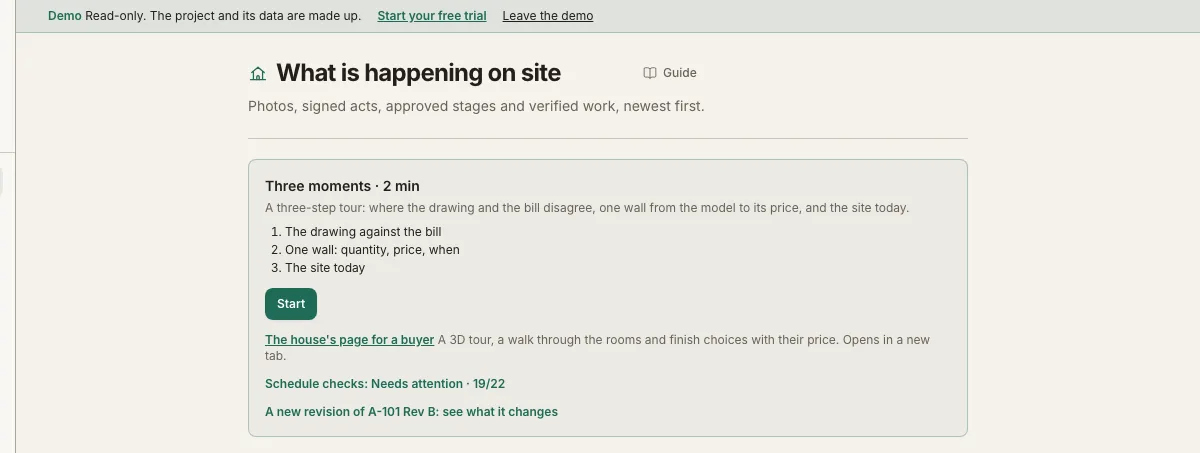
Take the tour in three moments
On the Three moments · 2 min card, press Start. Each moment opens the page it is about, and the card at the bottom says what to look at there: The drawing against the bill, One wall: quantity, price, when and The site today. On a phone the page opens as a sheet from the bottom: Expand panel opens it in full. Move with Next and Back, and stop with End. Once it has ended, the bar at the top offers the tour again.
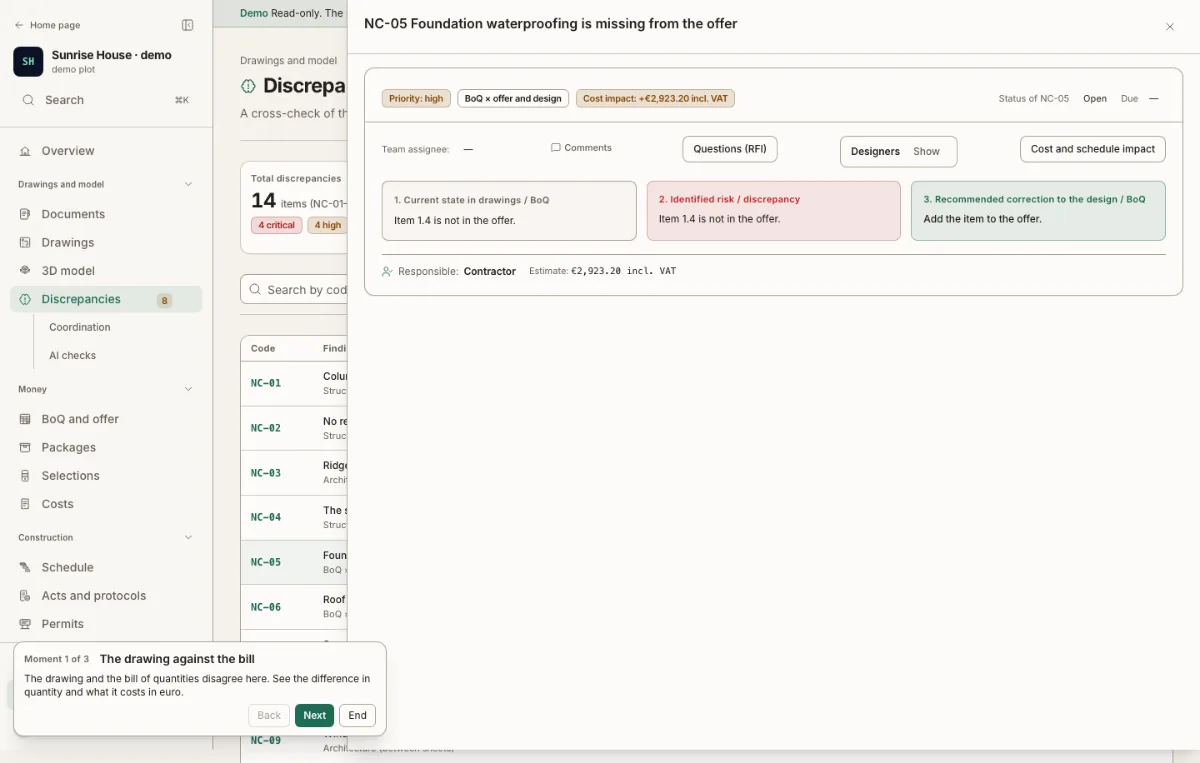
See a recorded AI answer
On the third moment, press See the recorded answer. Project Q&A (AI) opens on the question of what happens if A120 slips by 10 working days: the answer says how far the project finish and the acts move, and points to its sources. Above the answer it says when it was recorded. You cannot ask your own questions in the demo; below the conversation it says why.
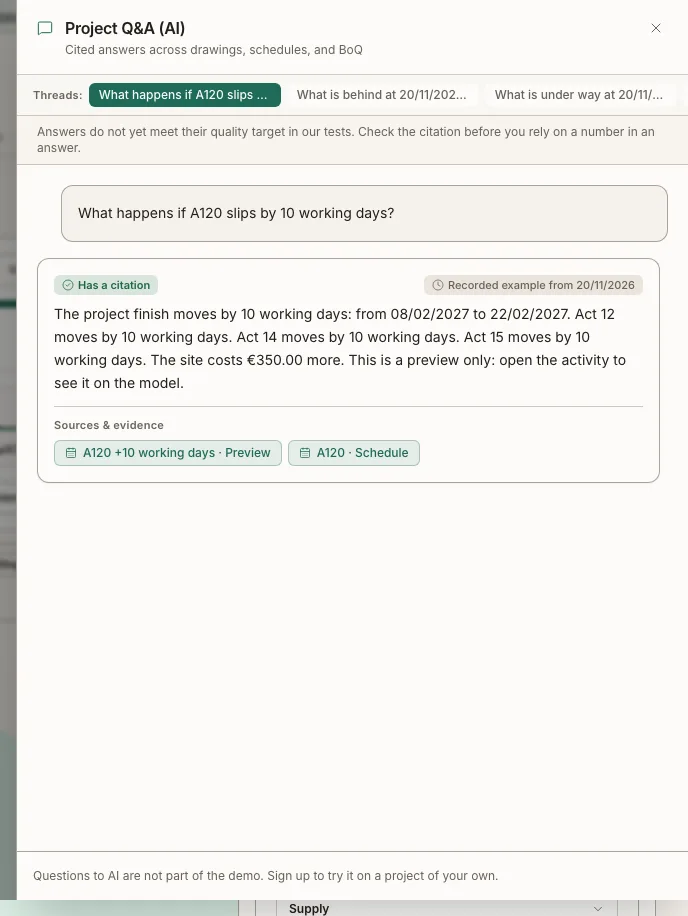
Look through the project's pages
The left bar leads to every page of the project: Documents, Drawings, 3D model, Discrepancies, BoQ and offer, Schedule, Acts and protocols and the rest. You see them as a viewer of a real project does: everything can be read, nothing changed. On a phone the bar is in the menu at the top left.
Open the buyer's page
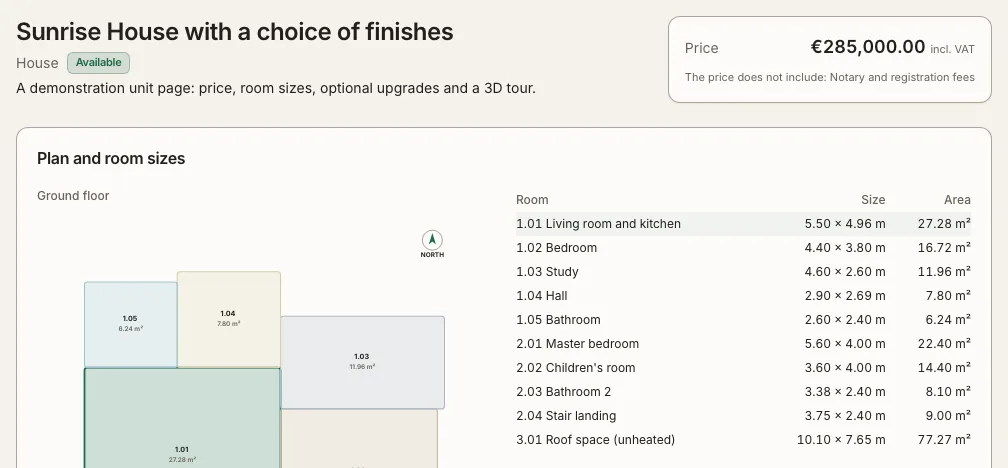
On the overview, press The house's page for a buyer. It opens in a new tab, as a buyer who was sent the link sees it: the price with VAT, the plan and the size of every room, Optional upgrades with the price of each choice, and Enter the 3D tour with this specification, which takes you round the house with the finishes you chose. In the inquiry form's place the page says The demo takes no inquiries.
The demo in Bulgarian
The Bulgarian home page (BG at the top right) has the same demo button. It opens the Bulgarian version of the house, with the interface in Bulgarian, and when you leave it you are back on the Bulgarian home page.
Start your own project, or leave
Start your free trial in the bar at the top opens the sign-up; Create an account and sign in carries on from there. Leave the demo takes you back to the home page. On a phone you leave from the account menu, the person icon at the top right. From the English demo both ways go on in English.