All guidesConstructionSheet 5.06
Keep the site record
Whoever reports progress notes the day: the supervisor, the builder or the owner. The owner marks a lost day and sets the contract's penalty. Days marked lost move every schedule's finish.
Note the weather and the crew
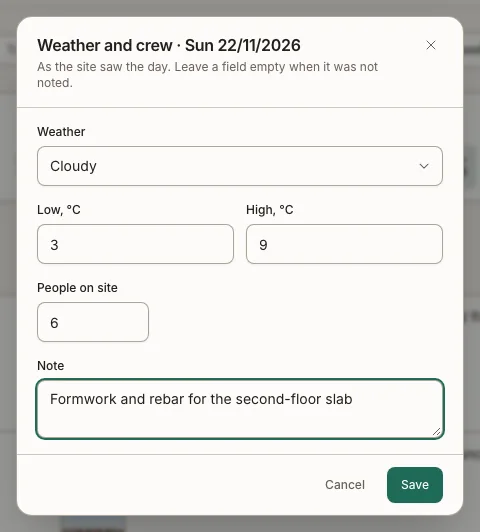
In Site diary, the day opens on today. Weather and crew takes the weather, the low and high temperature, how many people were on site and a note; leave a field empty if nobody noted it.
Read the day
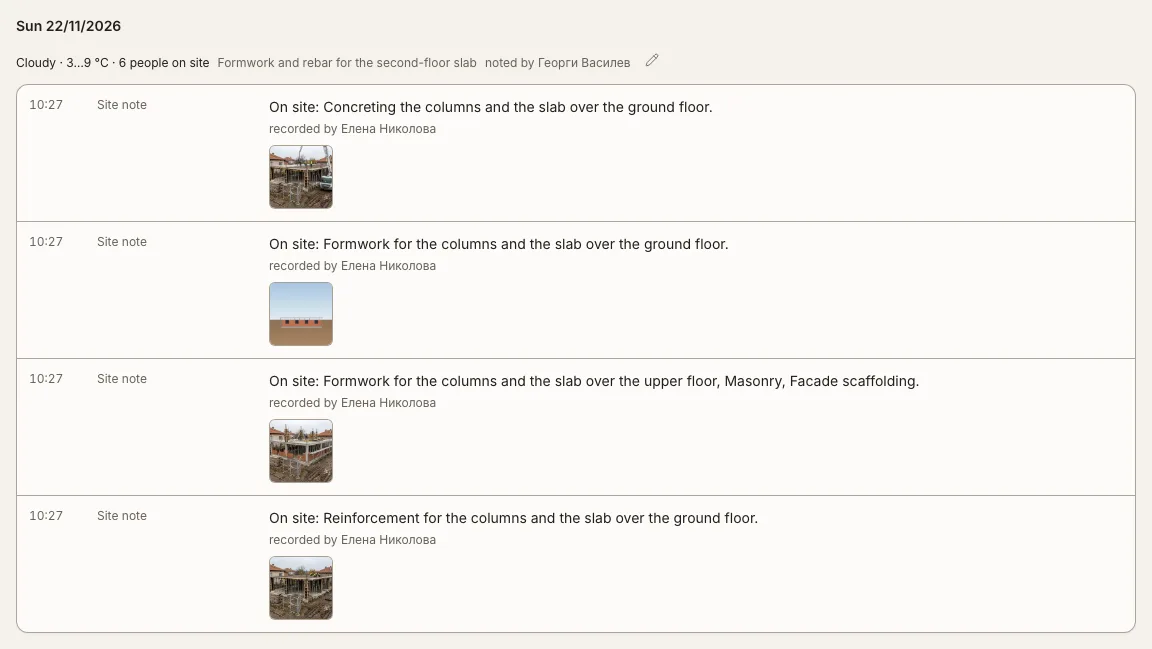
After Save the day shows its weather and crew above everything the site recorded on it: progress, photos, acts and checks, each with who recorded it. Draft for the instruction book prints the days as a draft, not the book itself.
Mark a lost day
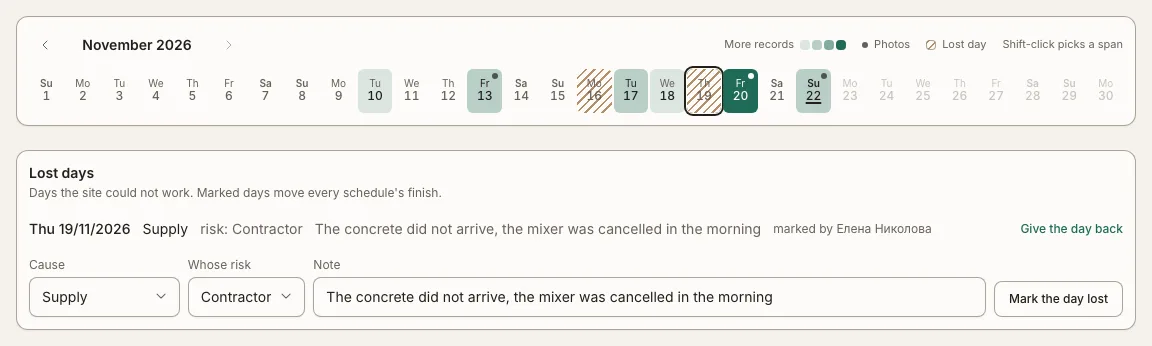
The owner opens the day the site could not work. Under Lost days, choose Cause and Whose risk, and add a note. A day with progress reported on it cannot be marked: the site worked it.

See it in the month
Mark the day lost moves the finish of every schedule by one day. The month's strip marks lost days apart from worked ones; Give the day back undoes the mark.
Set the contract's delay penalty
In Retention, Main contract retention terms take the penalty a day, its cap and the agreed completion date, beside the retention. Confirm the terms keeps them.

Read what a late finish costs
When the schedule finishes after the completion date, the line above it estimates the penalty for the days late, up to the cap; only those who see prices see it. It is an estimate for the conversation with the builder, not a claim.
