All guidesConstructionSheet 5.07
Inspect the work, and settle non-conformances
The construction supervisor checks the works at the points agreed with the owner. Points advise: none of them stops a progress report.
Read an activity's points
On the schedule, an activity's Links and value lists its Inspection points: a Hold point the work waits for, a Witness point you are called to, each with its state, when it is due and who checks it.
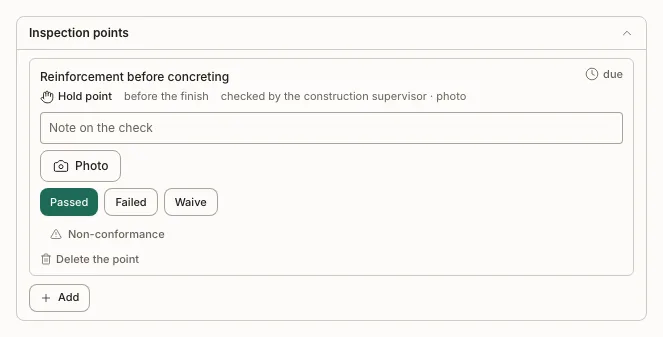
Add a measured point
Add takes what is checked, its kind, when and by whom. With Evidence set to measurement, give the required value, its tolerance and the unit, then Save.
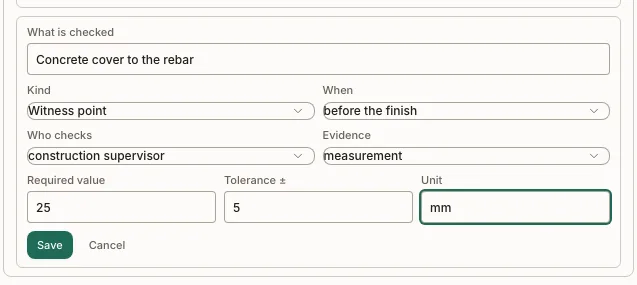
Check it
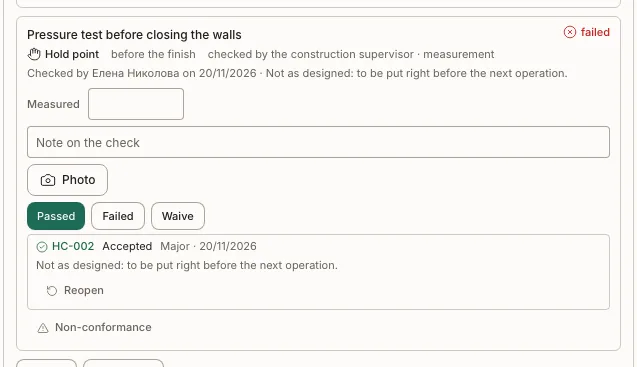
Type what you measured: the point says whether it is within the tolerance. Add a note or a photo, then Passed or Failed; the check is kept with your name and the date.
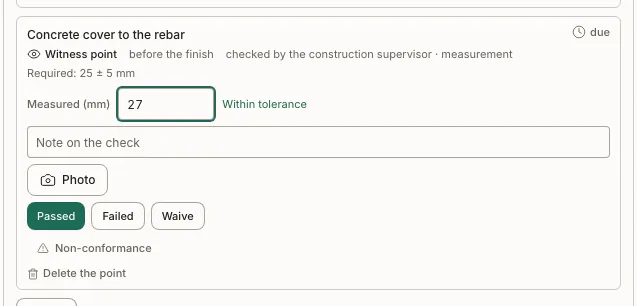
Fail a point
Note what is wrong, then Failed: the point stays open and a non-conformance opens against it, major for a hold point, minor for the others. The builder sees it with the point. On a point without one, Non-conformance opens it by hand.
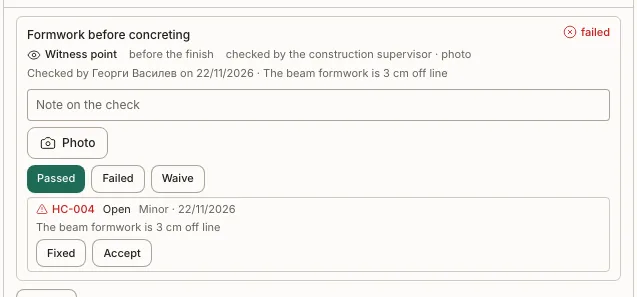
Accept the fix
The builder marks the non-conformance Fixed; once you have seen the work, Accept closes it. A closed one can be opened again.
Read the site layout
On the site plan in Drawings, Site layout (health and safety plan, ПБЗ) shows the cranes' and hoists' radii, the walkways and the laydown areas. Pick a date in As of: a walkway under a hook on that date is listed in red. The household's editors draw the layout.
