All guidesBill of quantities, offers and costsSheet 4.04
Turnkey budget and what-if scenarios
The builder's bill stops at the shell. The finishes, windows and doors and the installations are a budget of their own, where you can try options before you decide.
Open the turnkey budget
In BoQ and offer open Finishes. The table brings together the floors, plaster, windows and doors and the installations with the design's quantities and estimated prices; on top are their sum and the whole budget with the bill.
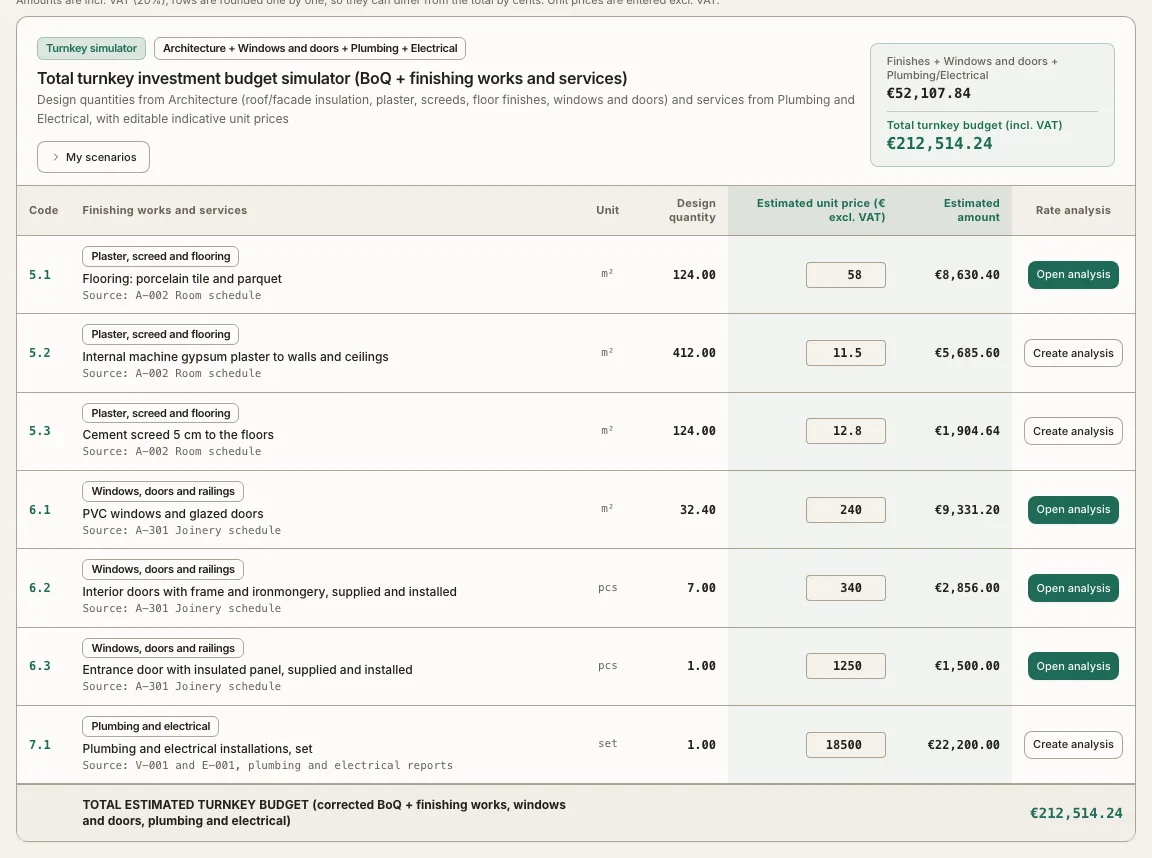
Try another price
Change a row's unit price and leave the field: the sums are worked out again at once. The change is a draft for you alone; the My scenarios button reads Scenarios: draft.
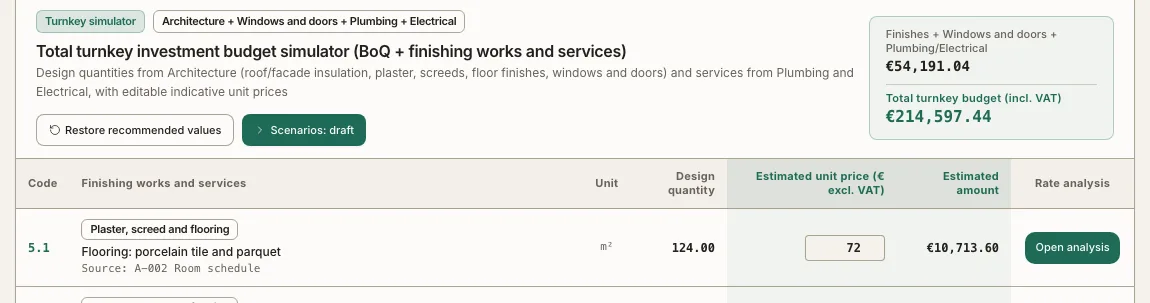
Keep a scenario
Open the scenarios, name the draft and press Save as scenario. The scenario is yours alone. Save to the shared BoQ writes the changes for the whole team and is shown only to those who can edit.

Load it again
Restore recommended values brings the prices back as they are. To bring a scenario's prices back, choose it in My scenarios. Delete scenario removes it.
How many scenarios the plan keeps
The Home plan keeps up to five of your scenarios a project. A sixth is not saved and the panel says why; delete an old scenario or move to a larger plan.
