All guidesInteriorSheet 9.02
Mark the water, drains and power, and read the checks
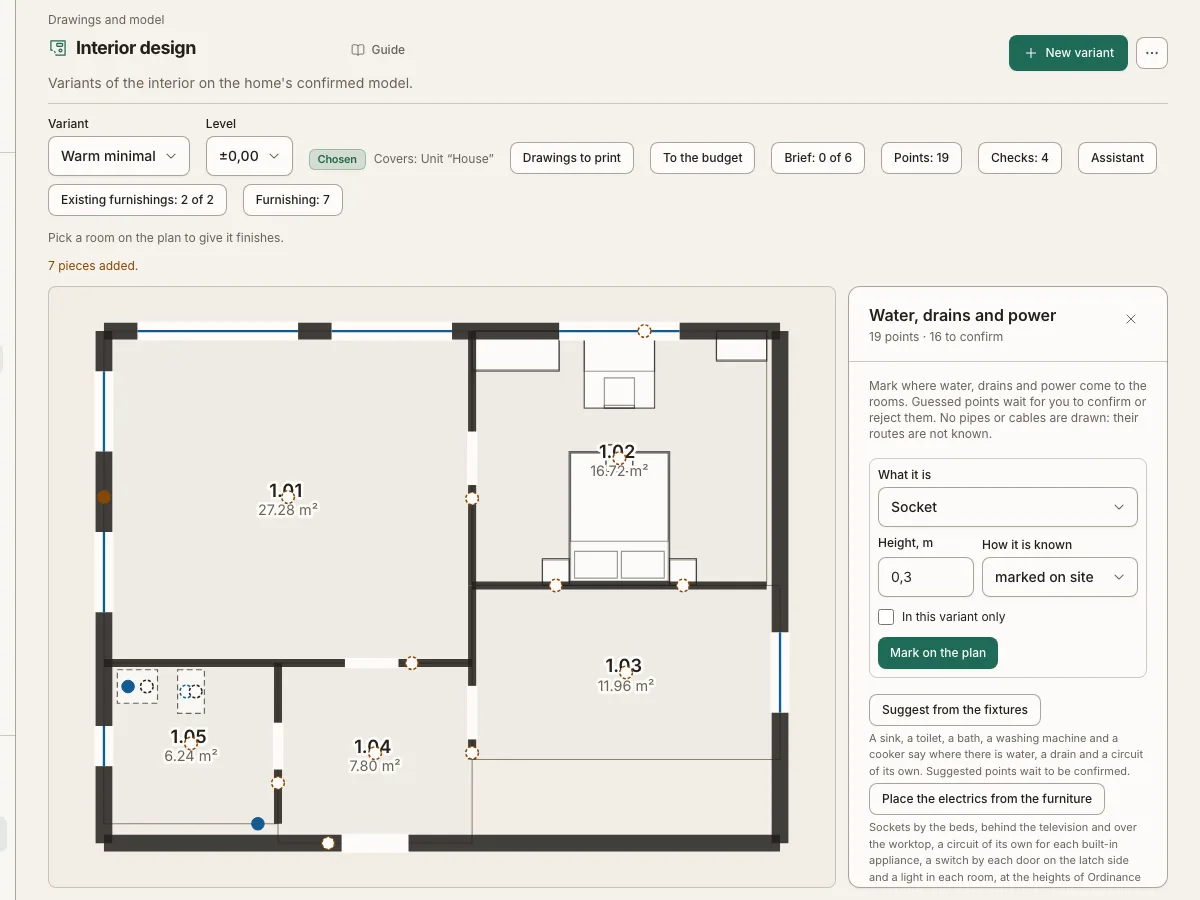
Before you move a sink or add sockets, the design has to know where the present ones are. Each point remembers how it is known: marked on site, read from a drawing, or only suggested. Suggestions wait to be confirmed. No pipes or cables are drawn: their routes are not known.
Open the points
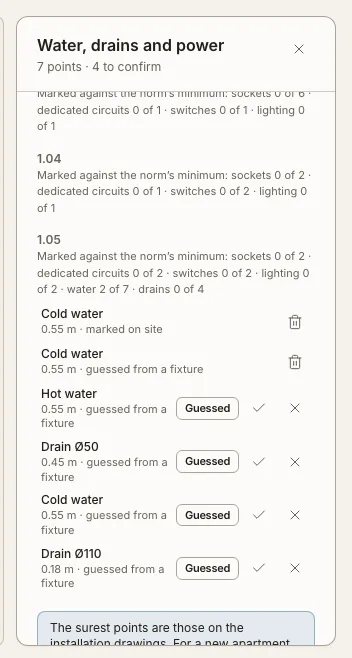
Open Design and press the points button beside the variant. The Water, drains and power panel lists the points of the level shown, room by room: what each is, how high it is and how it is known. Under each room stands how many points are confirmed beside the norm's minimum.
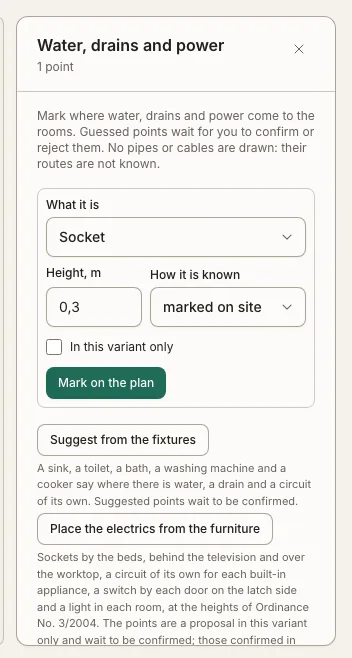
Mark a point on site
Choose in What it is what you are marking, correct Height, m and say in How it is known whether you saw it on site or are reading it from an installation drawing. Mark on the plan waits for a click on the plan: near a wall the point goes on the wall, and a floor drain stays where you clicked. In this variant only makes it a point of the open variant alone.
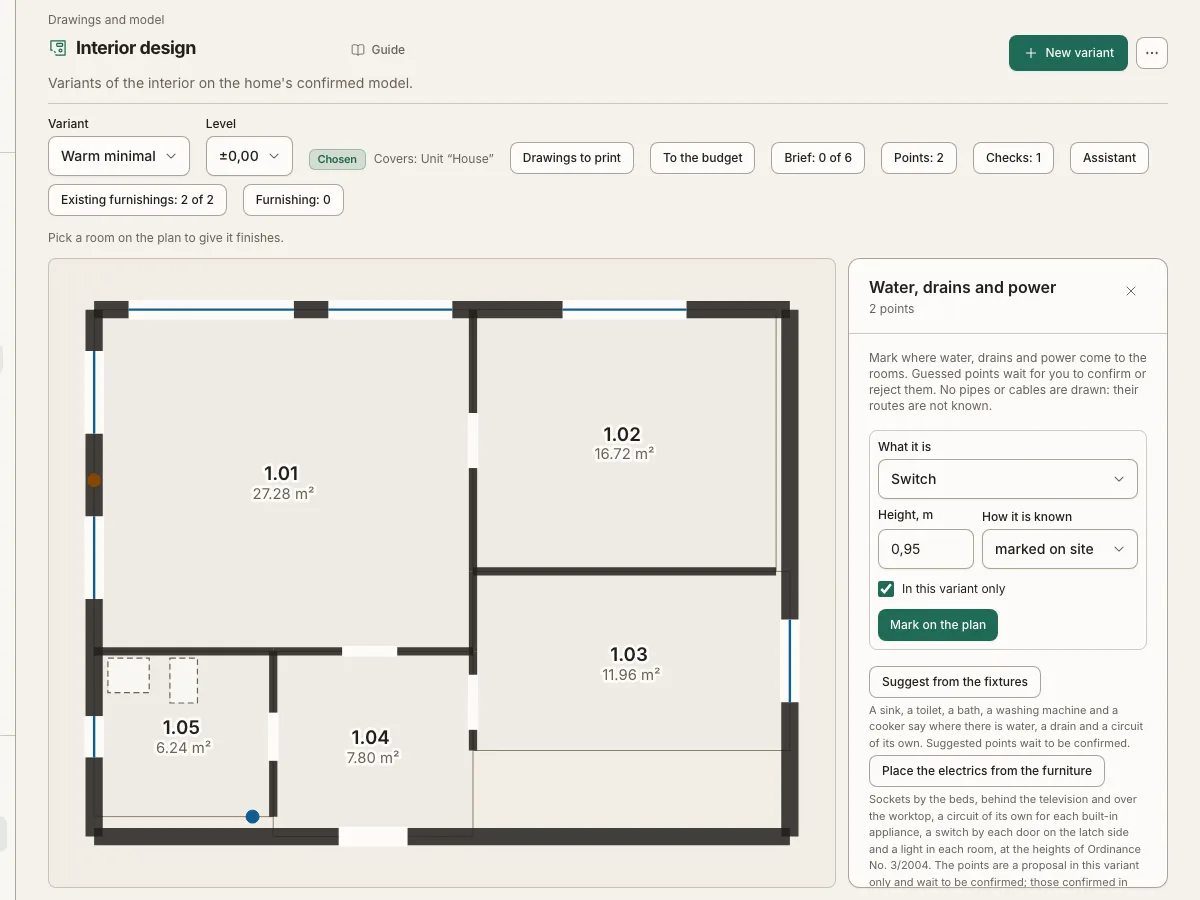
Accept the suggestions from the fixtures
Suggest from the fixtures looks at the sinks, toilets, baths and appliances in the home's model and suggests the points they imply. A suggested point is hollow on the plan and waits: confirm it if it is there, or reject it. A rejected one is not suggested again.
Place the electrics from the furniture
Once the furniture is laid out, Place the electrics from the furniture proposes sockets by the beds, behind the television and over the worktop, a circuit of its own for each built-in appliance, a switch by each door and a light in each room. The points belong to this variant alone and wait to be confirmed. Those confirmed in the chosen variant go into the room's quantities in place of the norm's minimum.
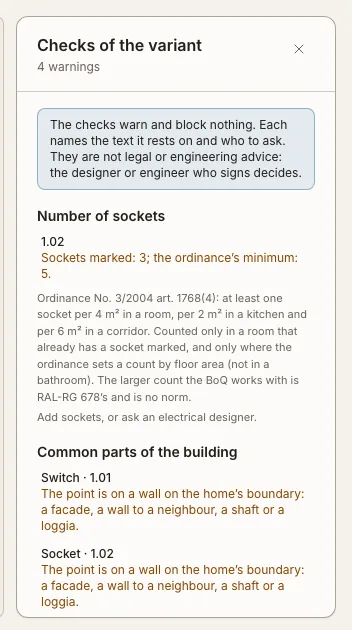
Read the checks
The checks button beside the points opens Checks of the variant. Each warning says what it is about, the text it rests on and who to ask. The checks block nothing and are not legal or engineering advice; when they find nothing they say what they looked at, not that the variant is in order. For the furniture see Furnish the home in a variant and walk through it.