All guidesFindings and coordinationSheet 3.03
Review clashes between the parts
The architecture, structure, plumbing, electrical and HVAC parts are drawn by different designers, and they do not always agree. Ravno checks the parts against each other by its catalog of checks, each with a code such as SC-01, and lines up what it finds for you to review. The example is Sunrise House after its documents were read.
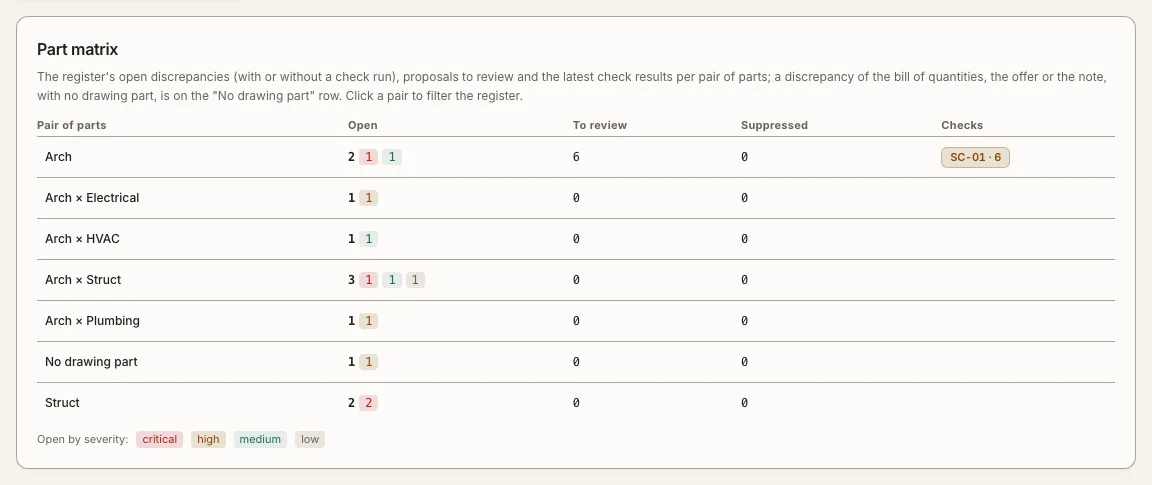
Read the part matrix
Open Discrepancies and, below it in the menu, Coordination. Part matrix has a row for each pair of parts, and for one part on its own. Unresolved counts the register's unresolved findings (open, under review, with a question sent or to verify), coloured by severity, To review the proposals waiting for you, and Checks names the checks that found something there. Click a pair to see only its proposals.
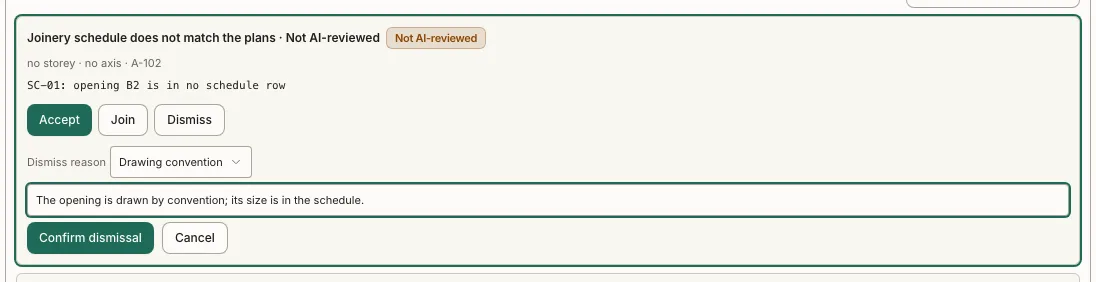
Accept or dismiss each proposal
Under the matrix, Proposals to review lists each proposal with the sheets it cites. Compare both sides opens the two sheets side by side. Accept adds it to the register as a new finding, and Join adds it to a finding already there. Dismiss asks for a Dismiss reason and an optional note before Confirm dismissal. A dismissed proposal moves to the suppressed ones under the list, where Restore brings it back. The keys A, D and M do the same on the selected card.
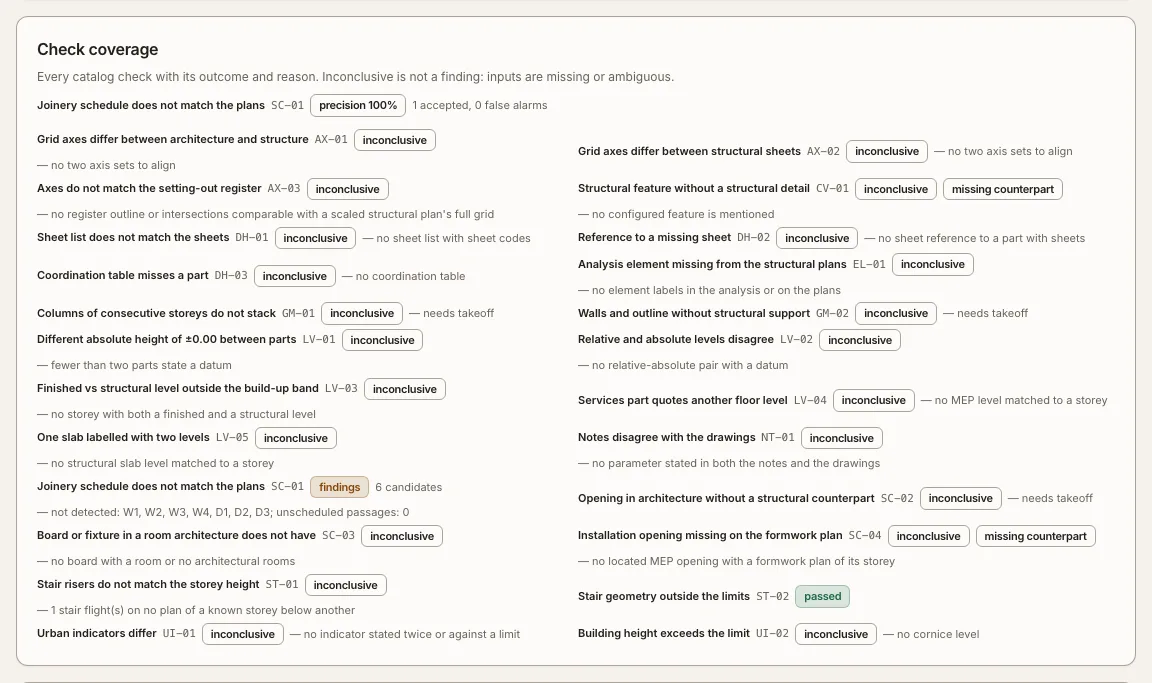
See what each check covered
Check coverage lists every check in the catalog with its outcome: passed, findings or inconclusive, with the reason. Inconclusive is not a clean result: what the check needs is missing from the sheets or ambiguous. At the top, each check you have answered shows its precision: the accepted proposals against those dismissed as False positive or Drawing convention. A check that falls too low says under 50%: the check is retuned.
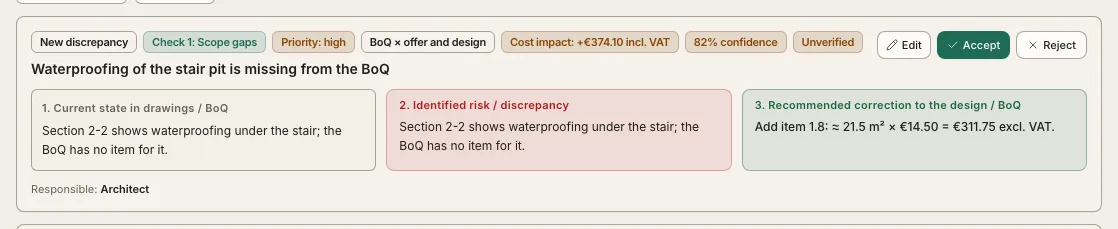
Review the AI checks of the bill
AI checks, also under Discrepancies, holds what the four AI checks propose: scope gaps, double counting, arithmetic and specifications against the drawings. Each proposal shows the current state, the problem and the fix, with its confidence and its effect on the cost. Accept, edit or reject each one. None of these four checks meets its quality target yet: a check that was not run is named at the top of the queue, and no proposal from it does not mean no errors.
Turn on the weekly check
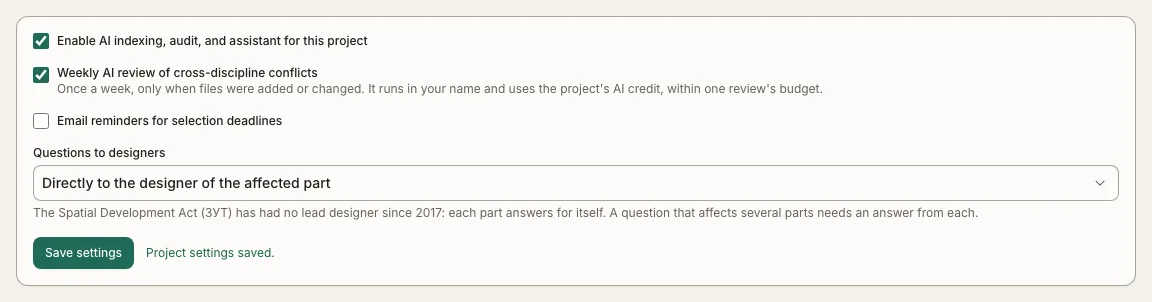
In Settings, AI and notifications, tick Weekly AI review of cross-discipline conflicts and press Save settings. Once a week, and only when files were added or changed since the last check, Ravno runs the check in your name, using the project's AI credit. A check you run yourself counts as that week's.
Find what the weekly check found
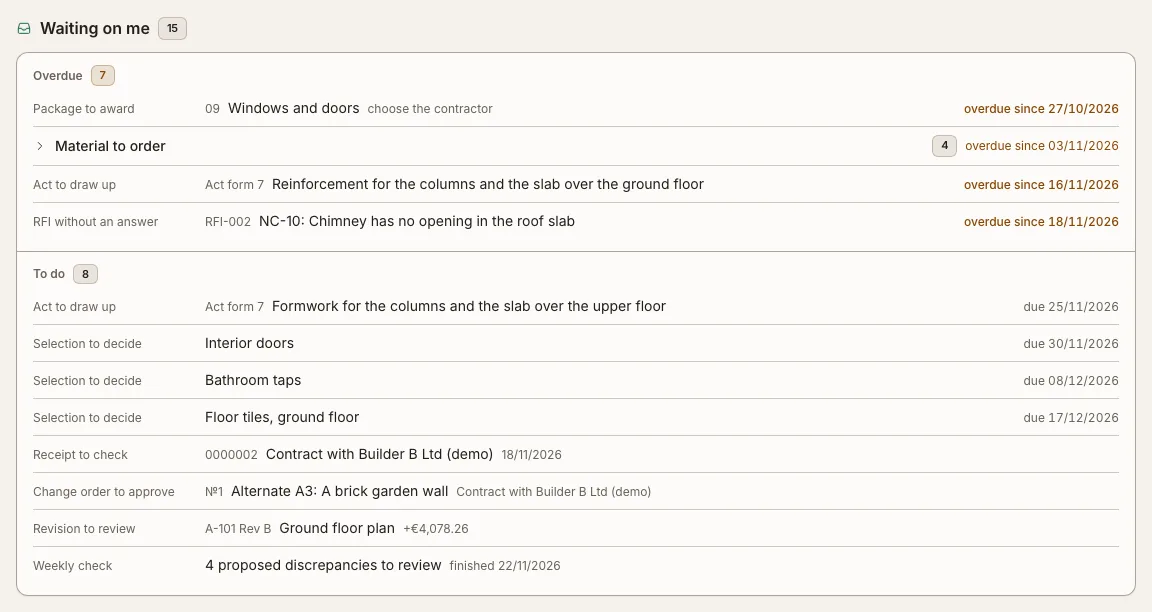
When the weekly check ends with something to review, the overview's Waiting on me gets a Weekly check row with how many proposals wait and the day it finished. It opens Coordination, where they are reviewed as above.
Run the check yourself
After new sheets, press Check the parts against each other at the top of Coordination. The check runs in the background, and the date beside the button becomes today's when it ends. The matrix and the proposals then show its results.
