All guidesDrawings and modelSheet 2.05
Open the 3D model and exchange IFC, BCF and IDS
An IFC model gives the storeys, rooms, elements and their quantities directly, with no plan to measure. Everything read from it points to the file and the element it came from.
Upload the IFC model
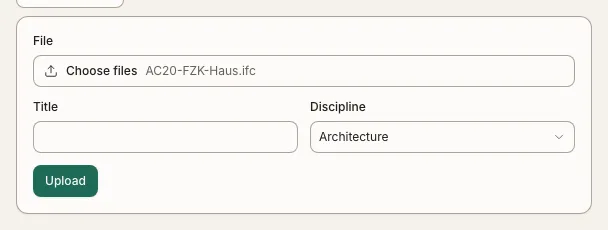
In Documents choose Upload file, or Upload files in a project that already has files. Choose the .ifc or .ifczip file and Upload. The model is read by itself: its storeys, rooms, elements and quantities join the project, and a plan is cut from each storey. If the file carries checks the model fails, they go to Discrepancies.
Look around the model
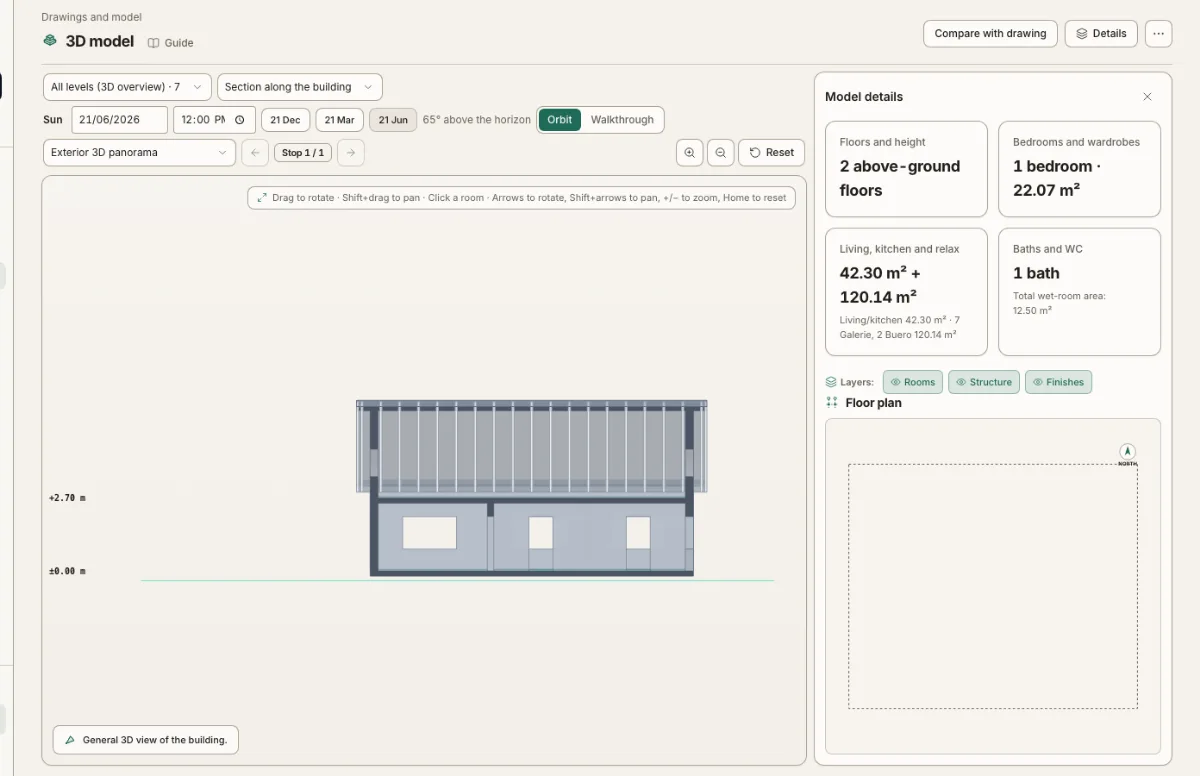
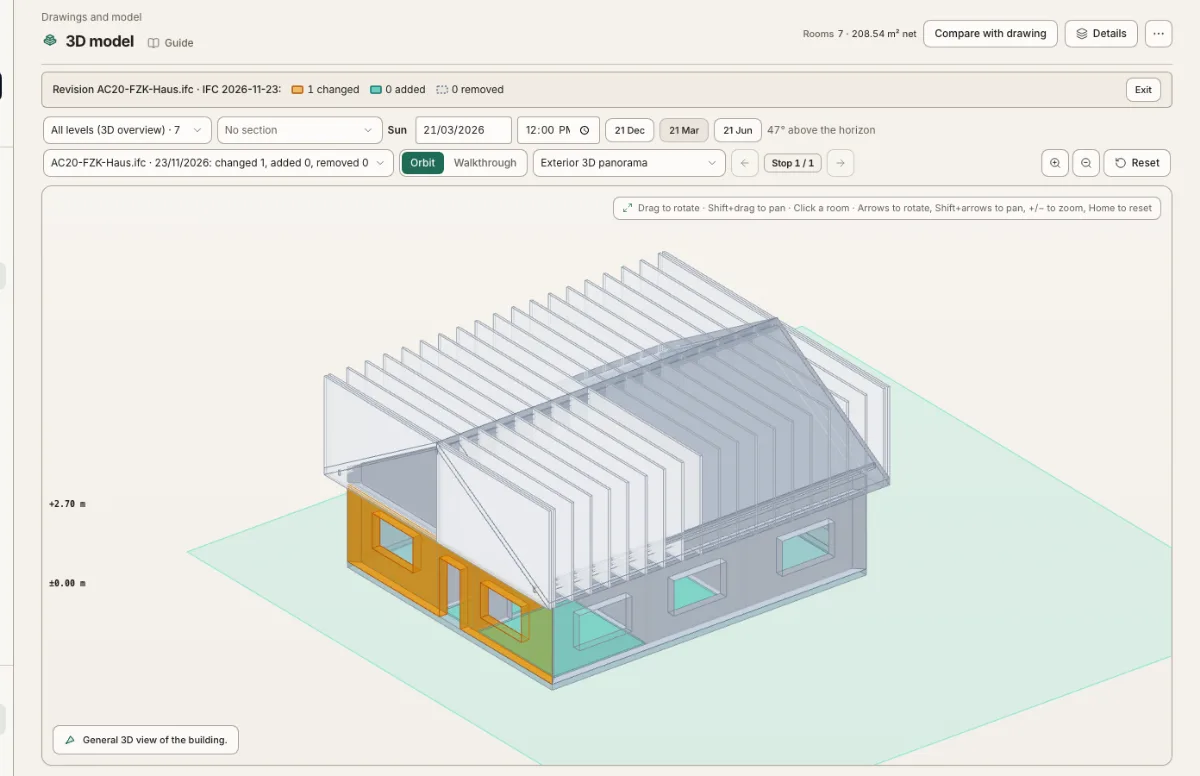
Open 3D model. Above the model, choose a storey and a section: at a storey to see inside, or Section along the building and Section across the building to see the building from the side, cut through its middle. What the cut goes through is filled in, as on a drawing. Details opens the rooms and zones with their areas, and a room's row shows it in the model. Once the house is placed on its plot (Follow the permit procedures), Sun moves the sun by date and time, with 21 December, 21 March and 21 June a click away.
Read an element's properties
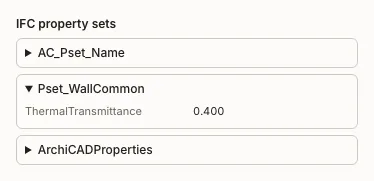
Pick an element in the model or from Pick a model element. The element opens with its quantities and costs, and below them IFC property sets: the properties the architect wrote into the file, as written.
See what the new version changed
When the architect sends a new version, upload it under the same name and in the same part. The model and the quantities update at once: elements are known by their IFC identifier, and what the file no longer has drops out. Above the model IFC changes appears: choose the version to see the changed, added and removed elements coloured. Exit brings back the model as it is.
Check the model against IDS
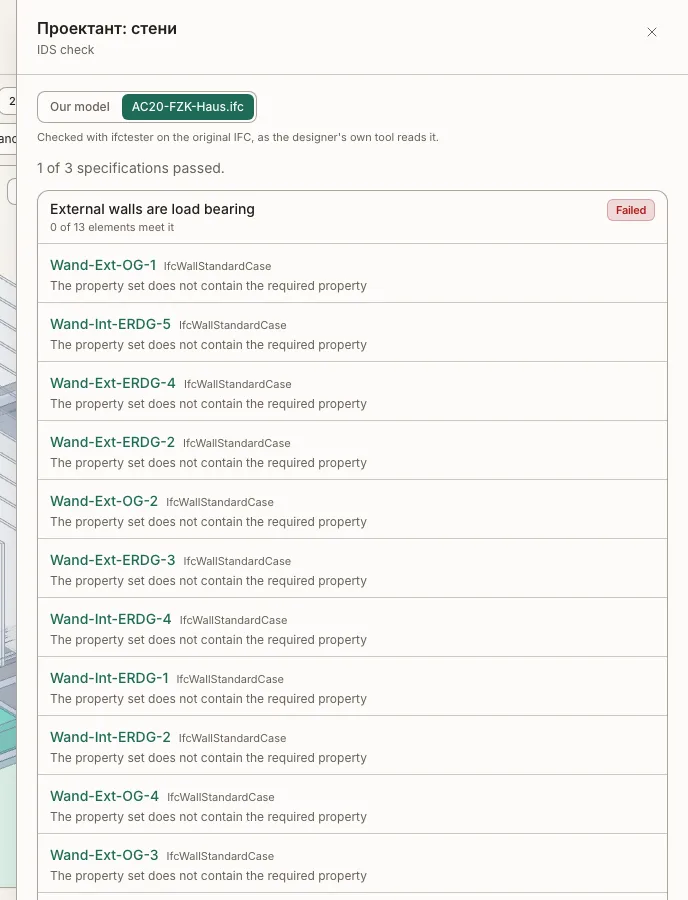
An IDS file says what the model must hold, for instance that every door has a name. In 3D model open More actions, choose Check against IDS 1.0 and the .ids file. The answer says how many specifications pass and which elements fail; an element opens in the model. The check can also run on the IFC file itself.
Export the model
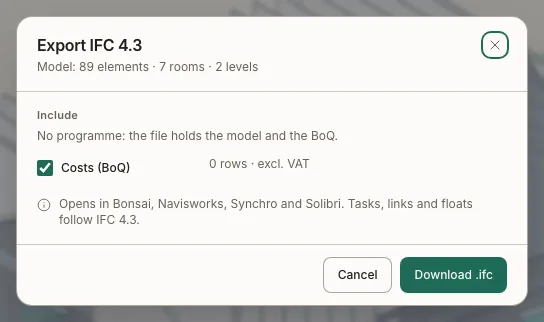
In the same menu, Export IFC 4.3… exports the model as IFC 4.3, with the schedule and the costs if you wish, and Download .ifc downloads it. Export glTF 2.0 is for a 3D program that reads no IFC, Export BCF 3.0 exports the discrepancies, and Export REB 23.003 exports the quantities.
Bring in issues as BCF
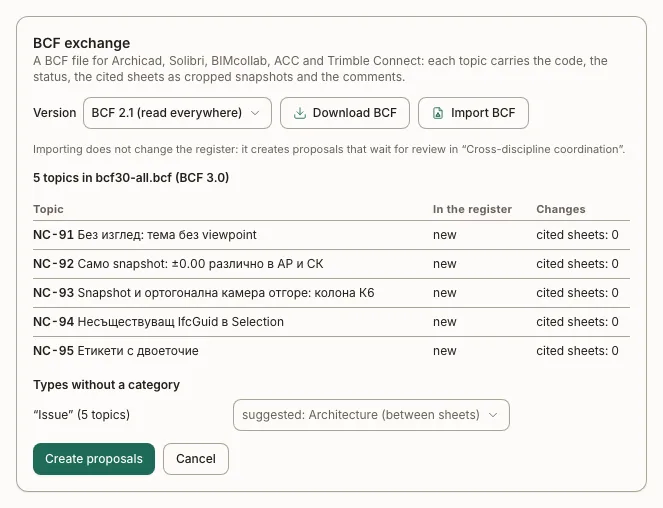
BCF is a file of issues on the model from the designer's program. In Discrepancies open More actions, then BCF exchange and Import BCF. Before anything is saved you see which issues match your discrepancies and how their statuses and types are read. Create proposals makes them proposals, which wait in Coordination until you accept them.