All guidesBill of quantities, offers and costsSheet 4.02
The builder's offers: versions, reconcile, contract
The builder sends an offer, then corrects it. Every version stays on the page, is compared with the one before and reconciled with the bill before one of them becomes the contract.
Read the versions
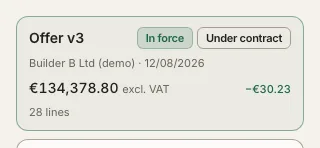
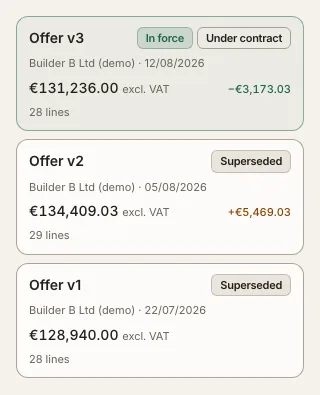
In BoQ and offer open Offers. The versions are listed newest first; each shows the company, the date, the total ex VAT and the change from the one before. One version is In force: the bill's offer columns follow it.
Compare two versions
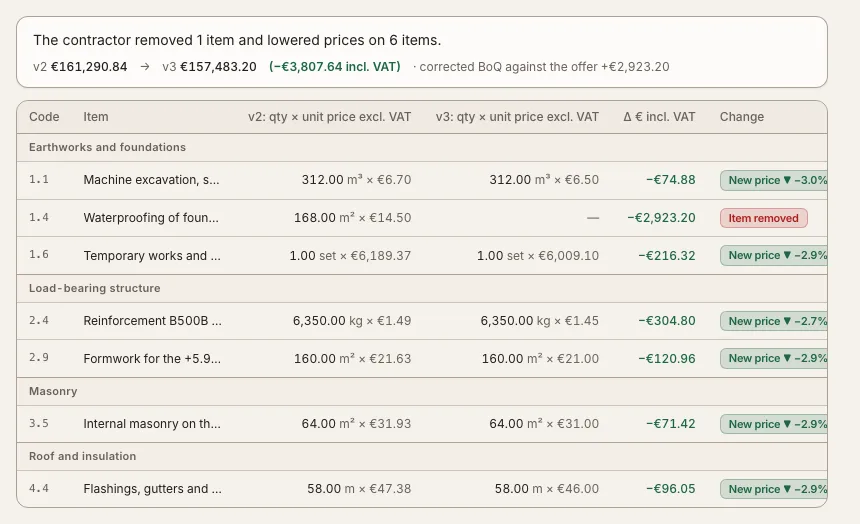
Choose a version and pick another in Compare with. A sentence on top says how much the total changed and where; the table below shows the changes row by row. Changes only hides the rows that did not change.
Enter prices from a spreadsheet
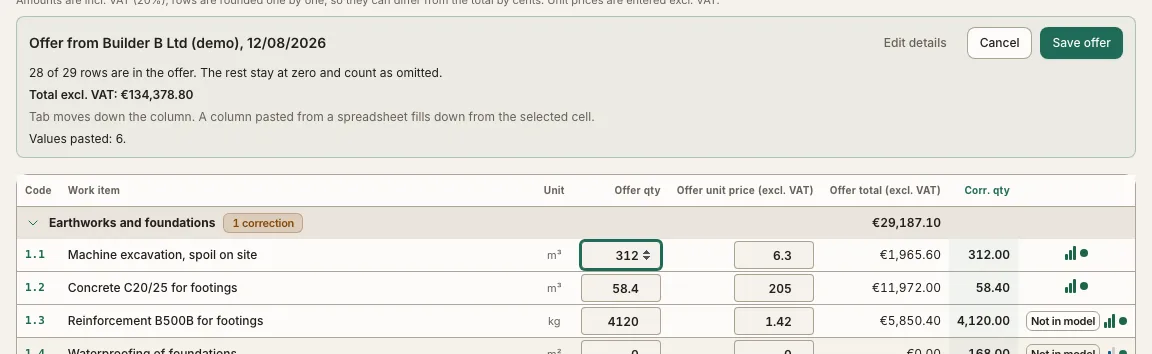
When the offer is only on paper or in someone else's spreadsheet, the More actions menu of BoQ and offer has Enter offer. After Go to the rows, copy the quantity and unit price columns from the spreadsheet and paste them into the first row: the values fill down and a note says how many were pasted and how many skipped. Save offer records the offer.
Reconcile the offer with AI
In AI reconcile, Reconcile offer with AI reads the offer's file against the bill. Each proposal points to the page or cell it was read from: open it and check the figure. Accept only what the document bears out; Reject leaves the bill as it is. In the example the proposal does not match the offer and is rejected.

See the version under contract
In the example the contract was made by the tender's award, so the version in force is Under contract and is not signed a second time. In a project without a tender, Mark as signed records the date and the main contractor and freezes the contract. After the contract, a change is signed as an Amendment.