All guidesConstructionSheet 5.05
Level crews, run the risk, explain a delay
The planner's tools come with the Professional and Business plans. Each one shows its result before it changes anything, and a change can be undone.
Level the crews
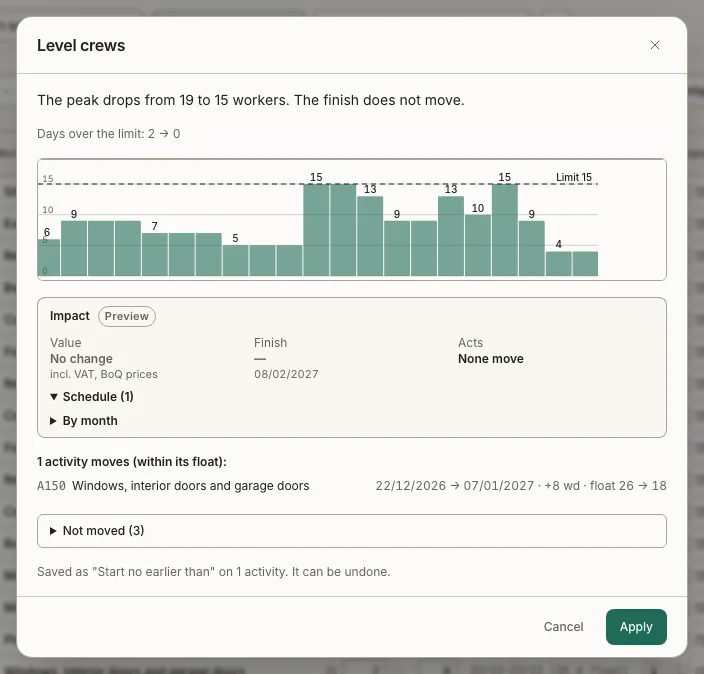
Below the Gantt the crew band shows the workers on site each day against the site's limit. When days go over it, Level crews proposes moving activities within their float; the sentence says what moves and whether the finish does.
Apply it, or undo it
Apply moves the activities; the band shows the days still over the limit. Undo puts them back.

Run the risk on the finish
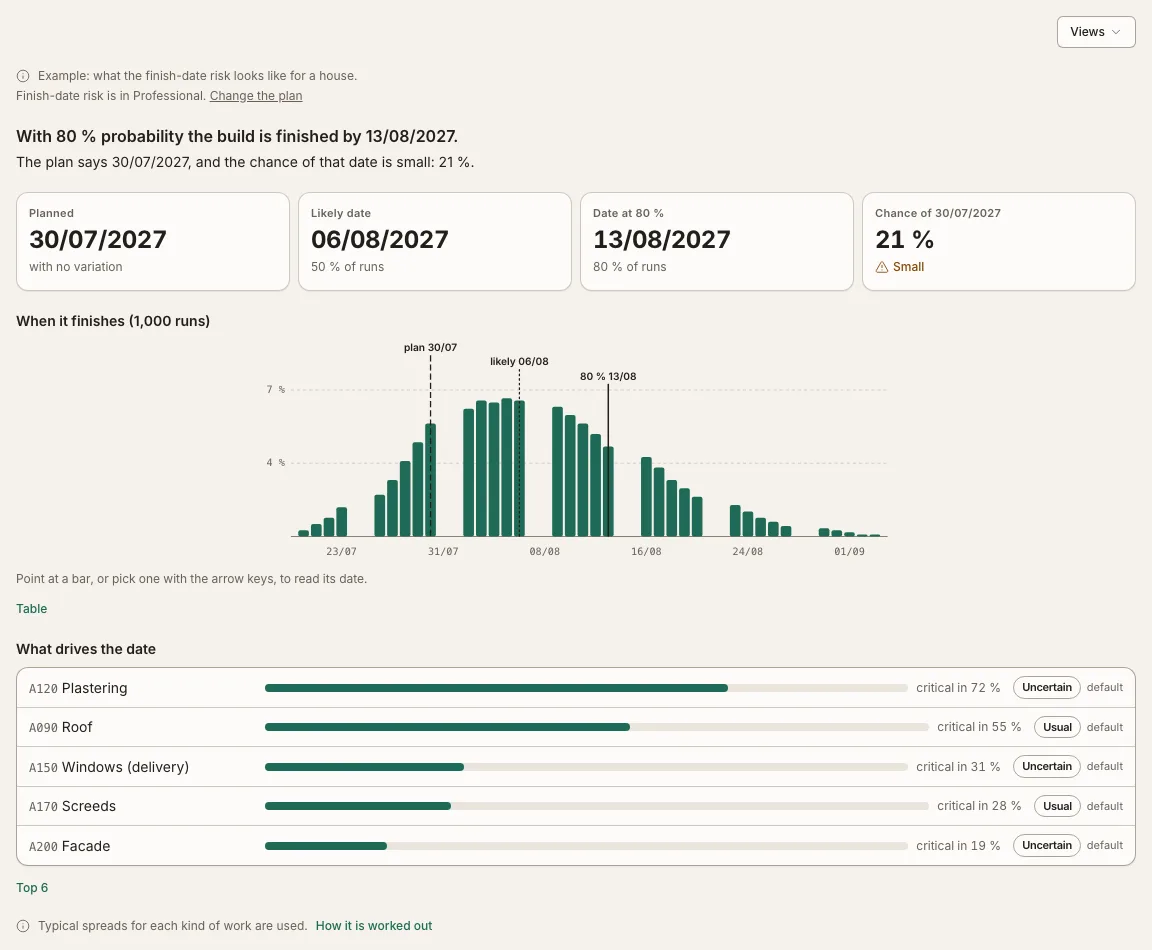
As it opens, Risk runs the schedule a thousand times with each activity's uncertainty, and says how sure the finish date is; the activities that drive it are listed below. Save the result keeps the run for the others to read.

Explain a delay
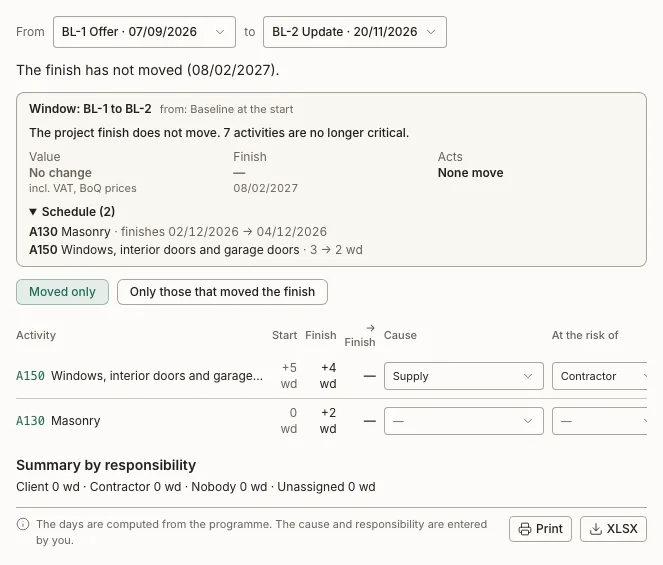
More actions › Delay analysis… compares two baselines: choose From and to. Each activity that moved says by how much and whether it drove the finish; give it a cause, then Print.
Make the method statement pack
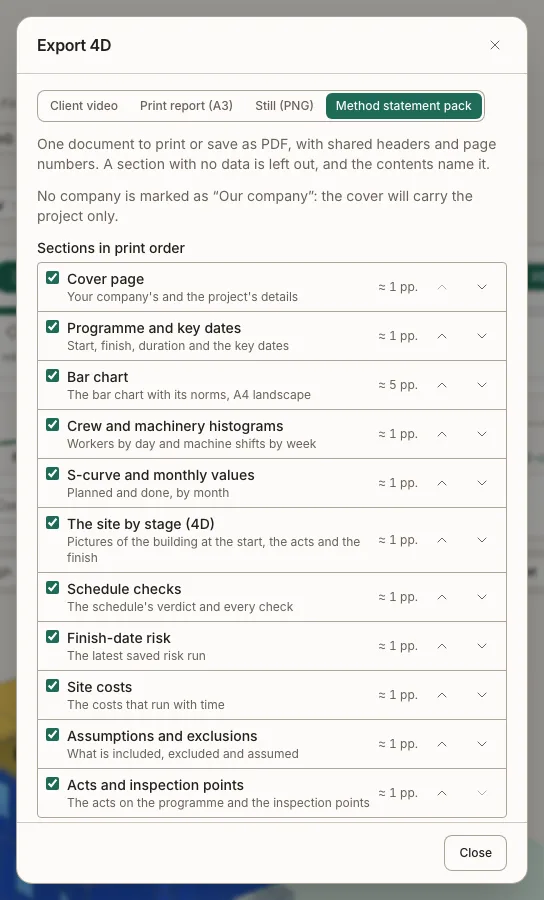
In 4D, More actions › Export 4D… › Method statement pack puts the programme, the 4D stills and the site's figures in one document. Choose its sections and their order, then Open for printing.
On the Home plan
The Home plan shows these tools with a way to a larger plan; the schedule's checks and the comparison with a baseline stay on every plan.