All guidesAI and phoneSheet 7.01
Ask the AI about the project
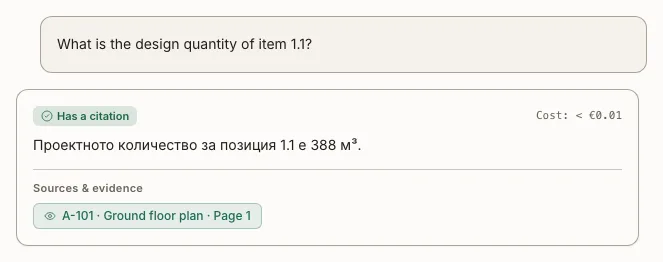
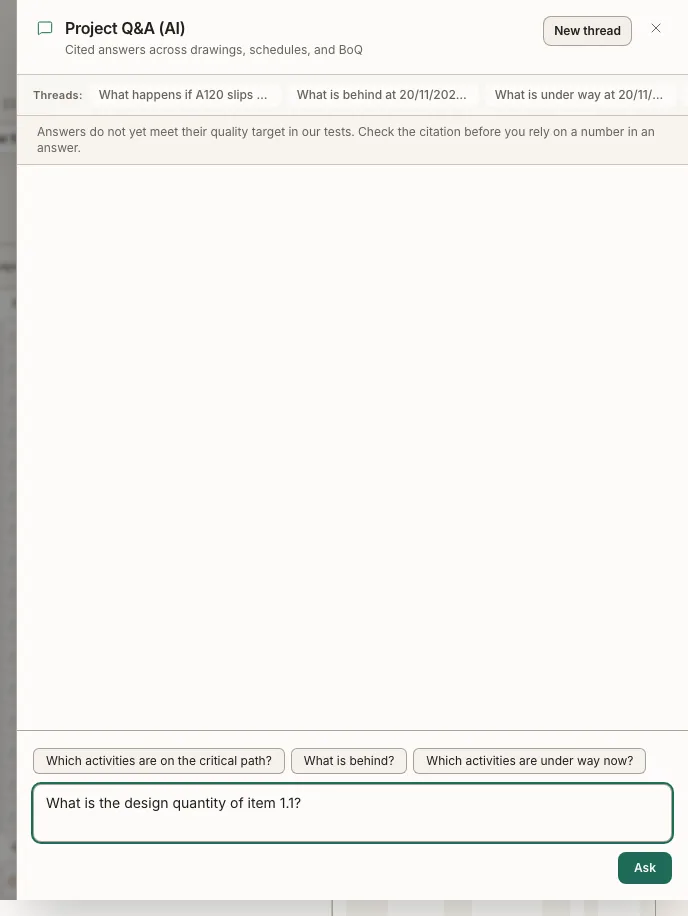
Ask AI answers questions about the project from its drawings, bill of quantities and schedule, and cites the sheet, row or activity each answer rests on. The answers do not yet meet their quality target in our tests, as the drawer itself says: check the citation before you rely on a number.
Let the AI read the project
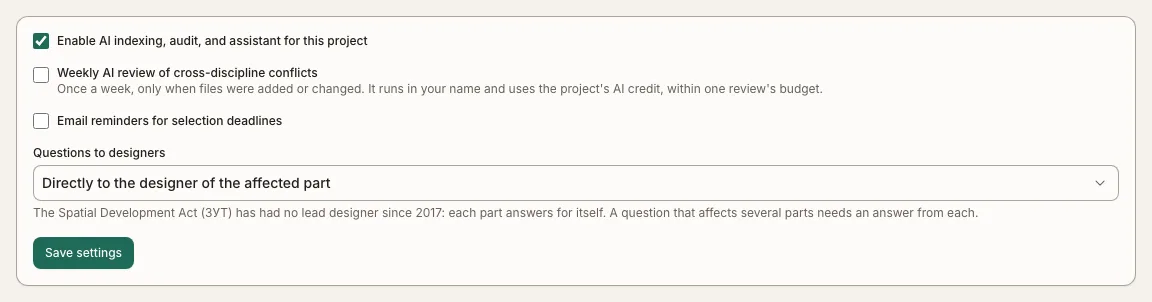
In the project's AI settings, Enable AI indexing, audit, and assistant for this project lets the AI index the project and answer about it. Without it the project's data is not sent to a model.
The AI credit
AI credit shows how much of the month's credit is used and how much is left; a pack adds credit once the month's runs out.

Ask
Ask AI in the side menu opens the drawer on any page. It opens on your latest thread; New thread starts another. Write the question and press Ask; the threads stay for you to come back to.
Read the answer and its citations
Under the answer, Sources & evidence names the sheets, rows and activities it rests on; a click opens the source. A badge says whether every claim has a citation.