All guidesBill of quantities, offers and costsSheet 4.10
Follow commitments, invoices and receipts
Costs gathers what the house is committed to, what was invoiced and paid, and what the contractor bought. Amounts are excl. recoverable VAT.
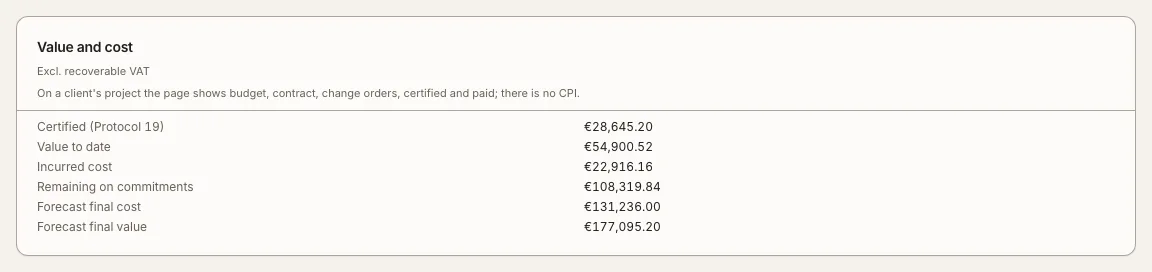
Value and cost
Costs opens on Value and cost as of the date in As of: the value to date, the cost incurred, the margin and Forecast final cost. Change the date to see an earlier month.
Enter an order
In Commitments write the title and Value excl. VAT, press New commitment, then Approve. The contractor's contract is not entered here: it comes from the tender's award.

Enter an invoice
In Cost documents fill in the document's number and date, the supplier and its tax id, the amount excl. VAT and the VAT, and choose the order in Order/contract. Add document adds it as a draft.

Approve and pay
Approve counts the invoice into the cost. Paid today records that it was paid today.

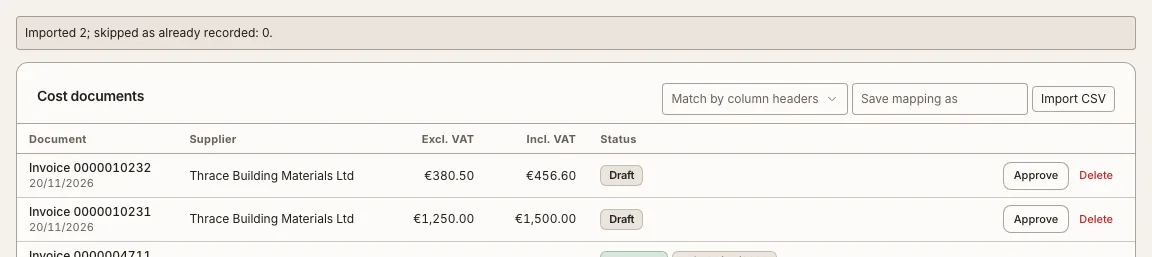
Import the accountant's ledger
Import CSV reads the purchase ledger exported as CSV. The columns are matched by their headers, or by a Saved mapping. A document already recorded is skipped, and the notice says how many.
Void, and lock
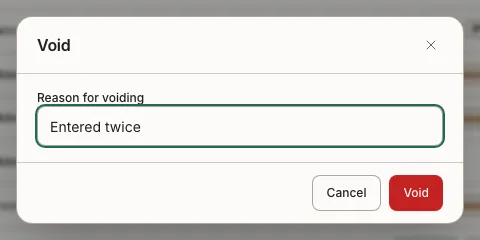
An approved document is not deleted. Void asks for Reason for voiding and keeps it, marked void. Lock closes a paid document once the accountant has closed its month; it can no longer change.
The contractor's receipt
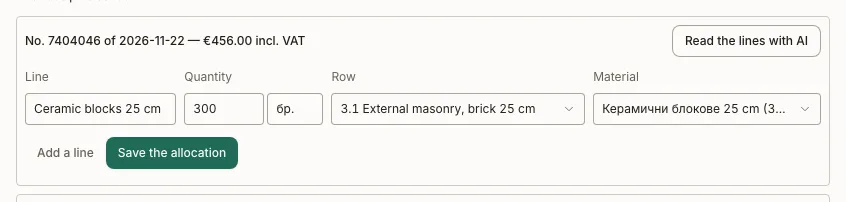
The contractor adds a receipt from its own home: under Receipt / invoice a photo and the receipt's QR code, then Save the receipt. Add a line gives each line its Row and Material, and Save the allocation keeps them. Read the lines with AI can fill the lines in.
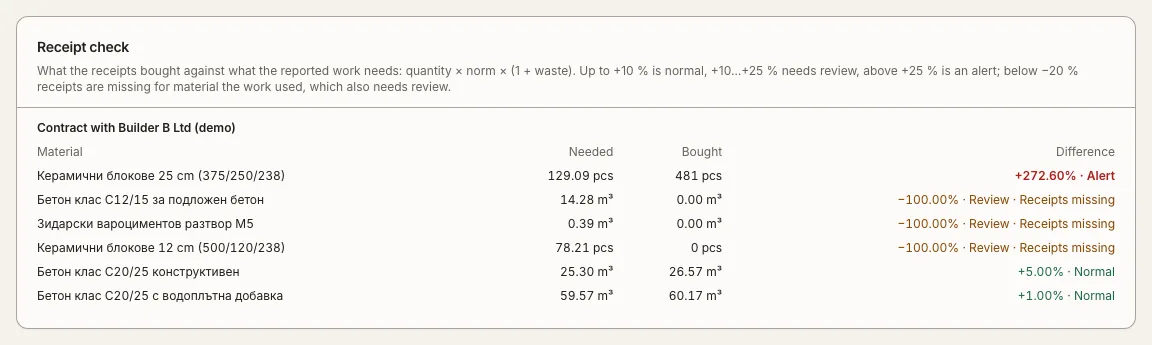
Check the receipts
Receipt check sets what the receipts bought against what the reported work needs: quantity × norm × (1 + waste). The note under the title gives what is normal, what needs review and what is an alert; far below the need, receipts are missing.