All guidesConstructionSheet 5.04
Watch the house go up, and share it
4D is the schedule shown on the house: each part of the model takes the colour of its work on the chosen day. Nothing is uploaded to make the video; it is made in your browser.
Open the model at a date
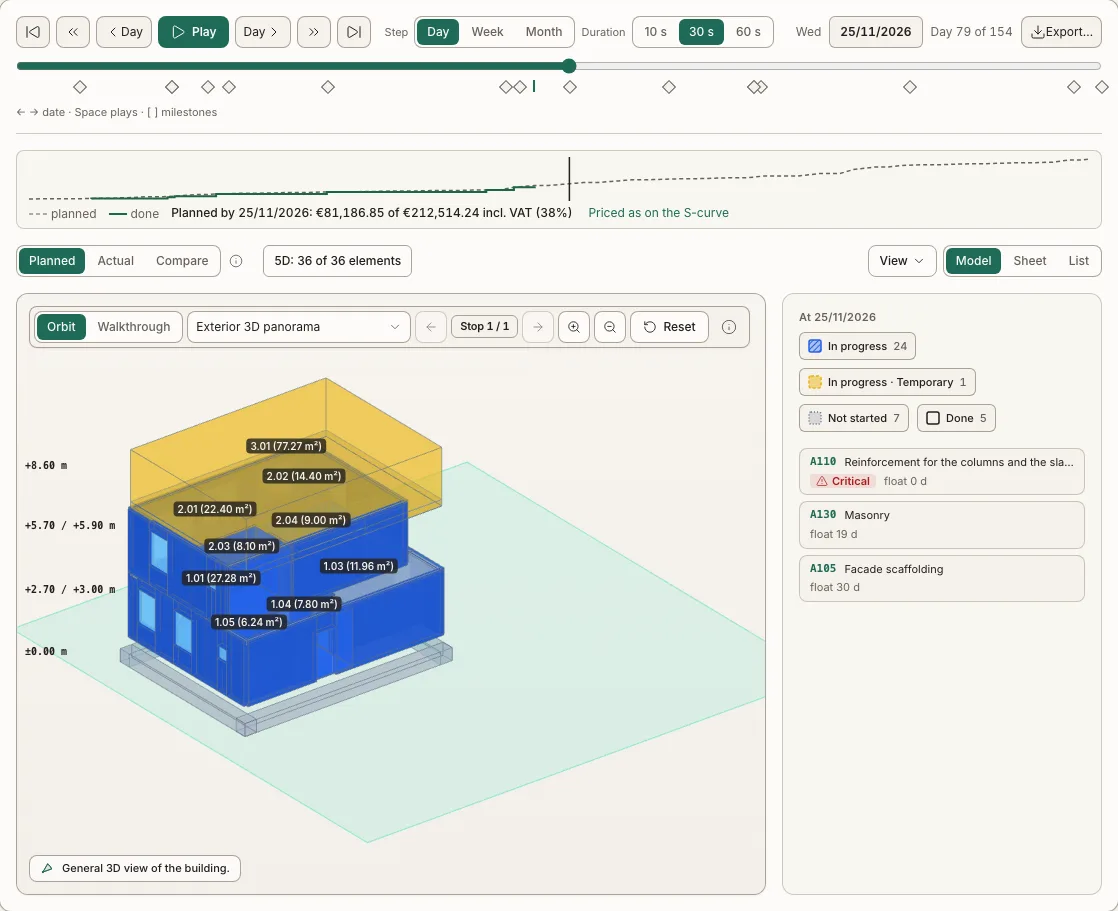
4D shows the house as it stands on the schedule's data date. Play runs the programme; Show as switches between the model, the list and the sheet.
Jump to the next milestone
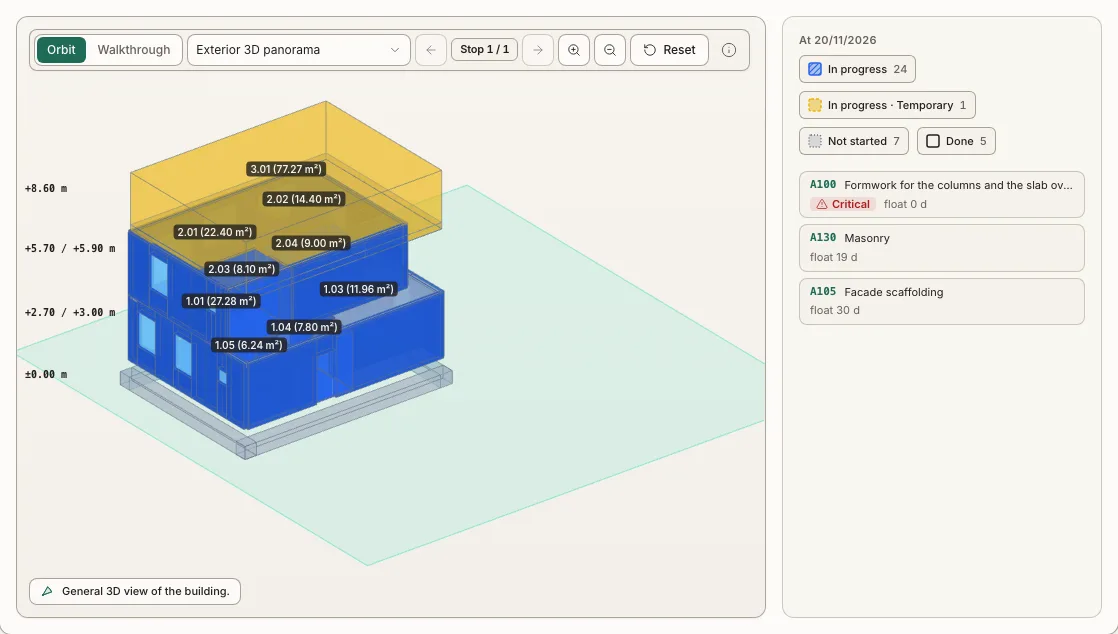
On a computer Next milestone moves the day to the next key date; the arrows step it on, and the slider and 4D date move it to any day. Beside the model a computer lists the work under way that day.
Make a client video
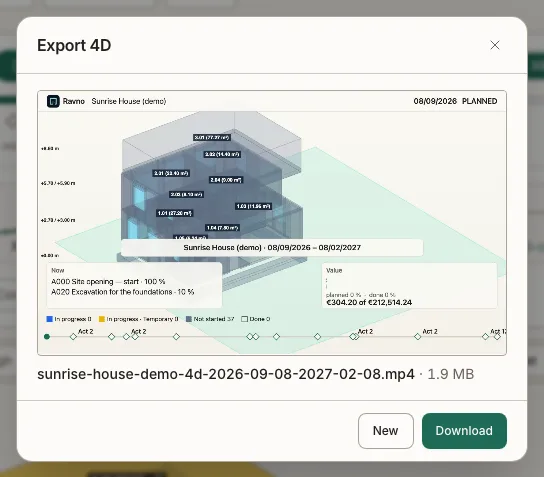
More actions › Export 4D… makes a Client video as on screen, from the Model view: choose its Length and Quality and Make the video. When it is done, Download.
Share a view
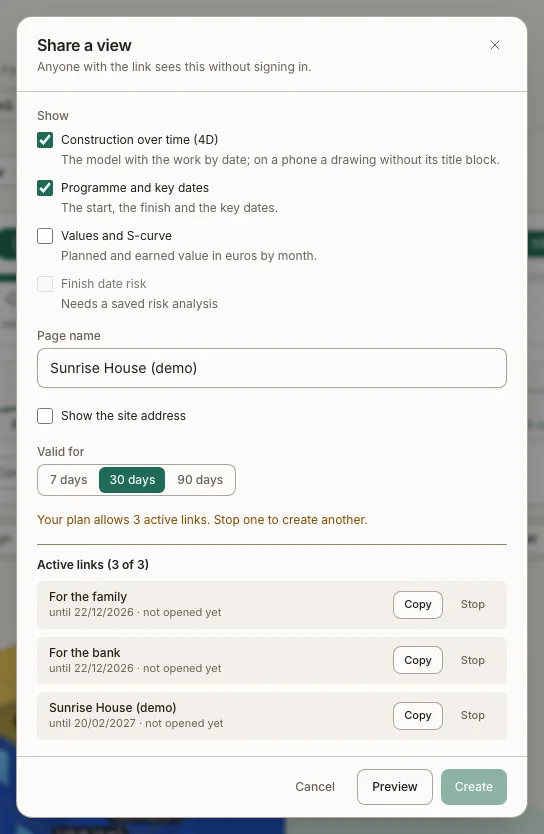
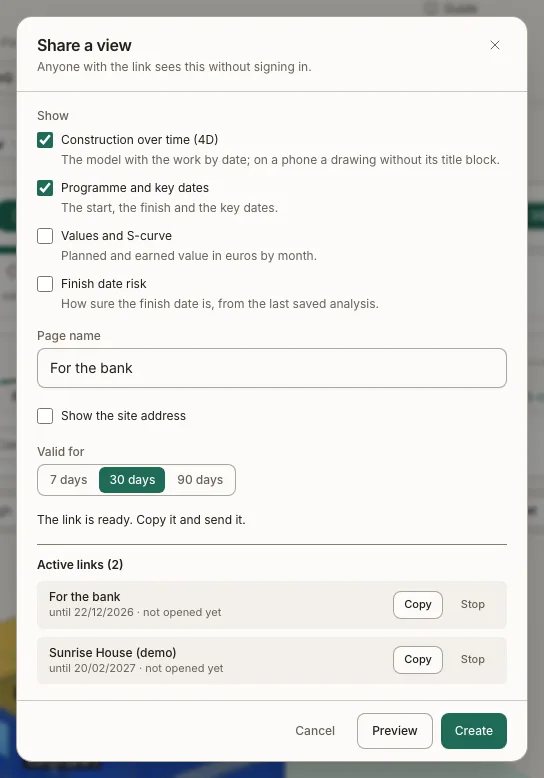
More actions › Share a view… makes a page anyone with its address can open. Choose what it shows, give it a Page name and how long it is Valid for, then Create and Copy. Stop closes it at once.
What the visitor sees
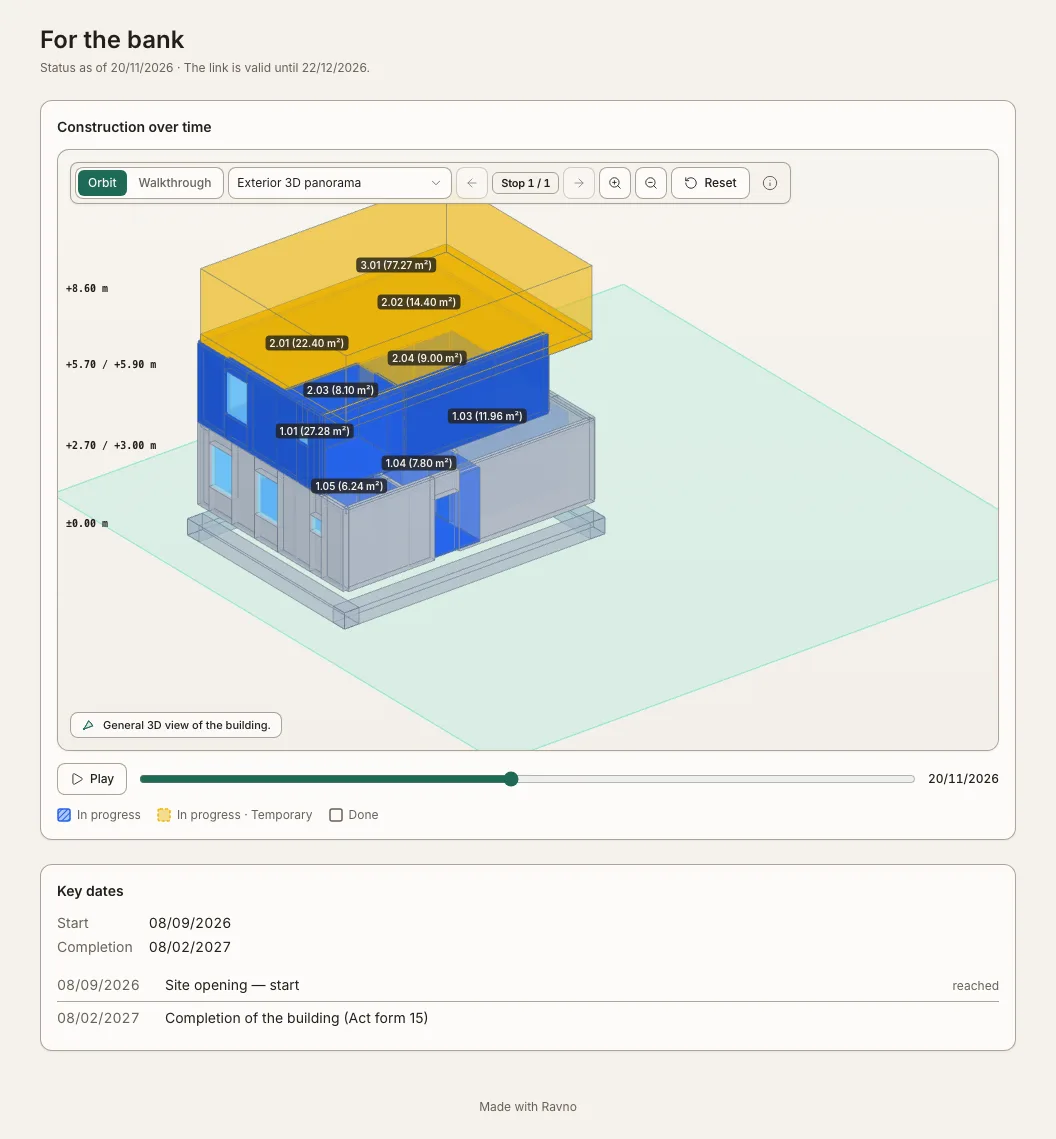
The visitor opens the address without signing in. The page shows only what you chose: prices only if you ticked Values and S-curve, and never the people on the project.
How many links
The Home plan keeps three open links a project; stop one, or choose a larger plan. Professional keeps ten, and Business has no limit.