All guidesFindings and coordinationSheet 3.02
Ask the designer and record the answer
A finding in the design is settled by the designer of its part. Ravno sends them a personal link by e-mail: they open the question with a one-time code, with no account, and answer with text and files. The example is NC-07 in Sunrise House: the drain pipe through the beam touches the plumbing and the architecture, so the owner asks both designers.
Send the question to the designers
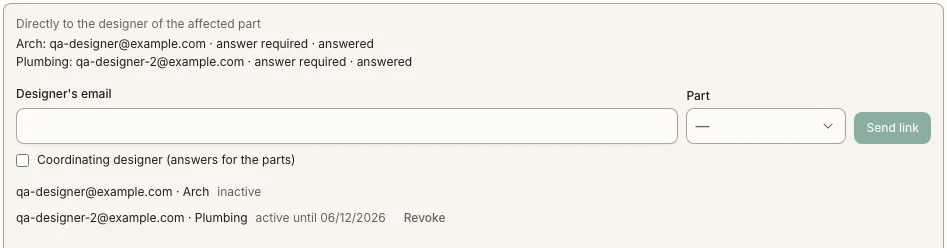
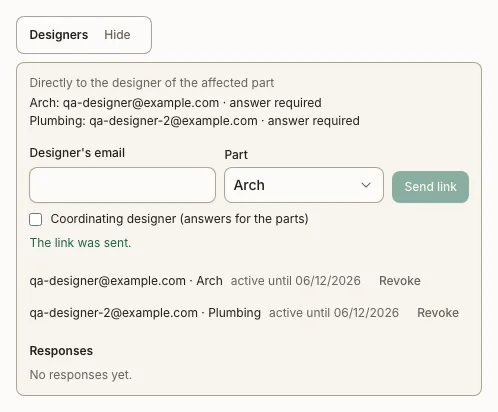
Open the finding and, beside Designers, press Show. At the top it says who has to answer: each part it touches, with the address the question went to. Write the Designer's email, choose the Part and press Send link. Do it for each part. The links sent are listed below, each with the date it is active until.
The designer opens the question with a code
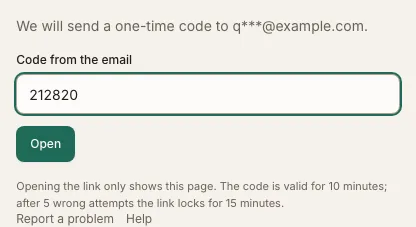
The designer gets an e-mail with the finding and a button to the question. The link is personal and valid for 14 days. On its page they press Send code: a six-digit code, valid for 10 minutes, comes to the same address. They type it in Code from the email and press Open. They are in for 24 hours, with no account and no password.
The designer answers
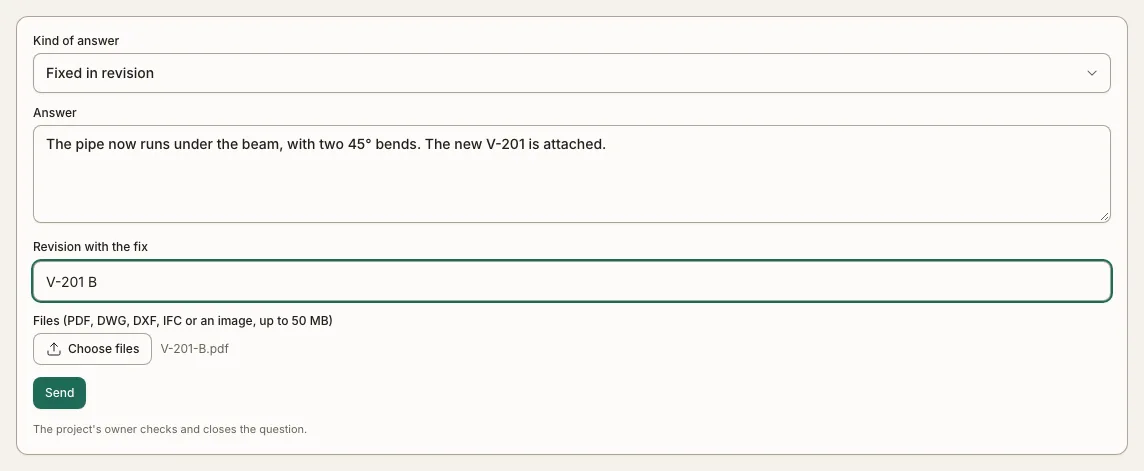
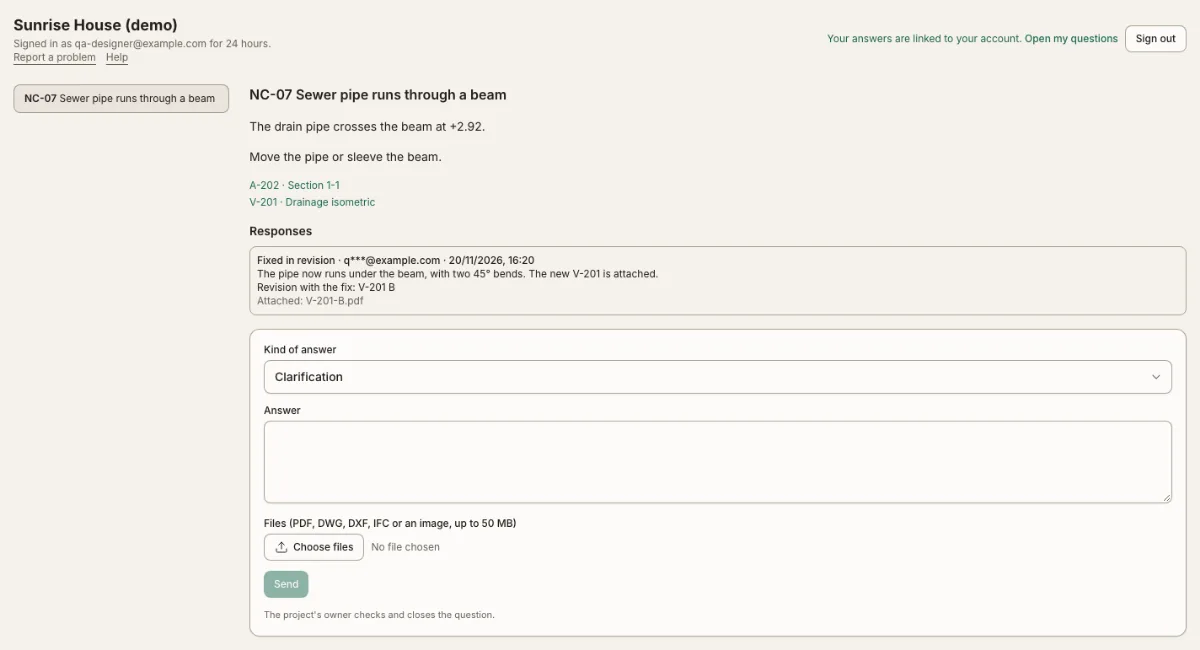
The designer sees the finding's three boxes and the cited sheets. In Kind of answer they choose what the answer is, for example Fixed in revision, and write the Answer. For a fix in a revision they name the Revision with the fix and can attach the new sheet. After Send the owner sees the answer. The designer cannot close the finding: The project's owner checks and closes the question.
Or link the question to your account
A designer with a Ravno account, signed in with the address the question went to, opens the link with the code the same way and presses Link to my account. Without an account they can press Create a free account. The account becomes the designer of that part in the project, and their answers are kept in it.
Answer from your designer page
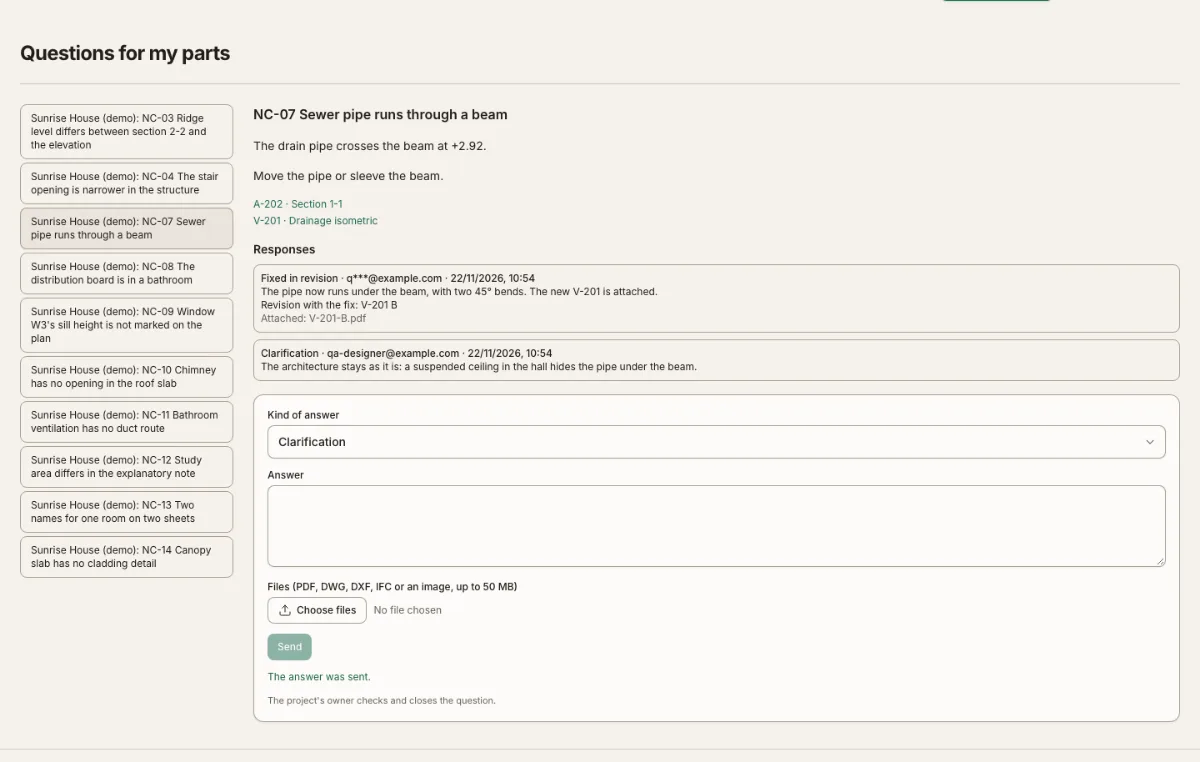
Questions for my parts opens from Open my questions and from the account menu. It shows every finding on the designer's part in their projects, not only the ones sent to them, each with its project's name. Choose the question on the left and answer as through the link.
Accept the answer
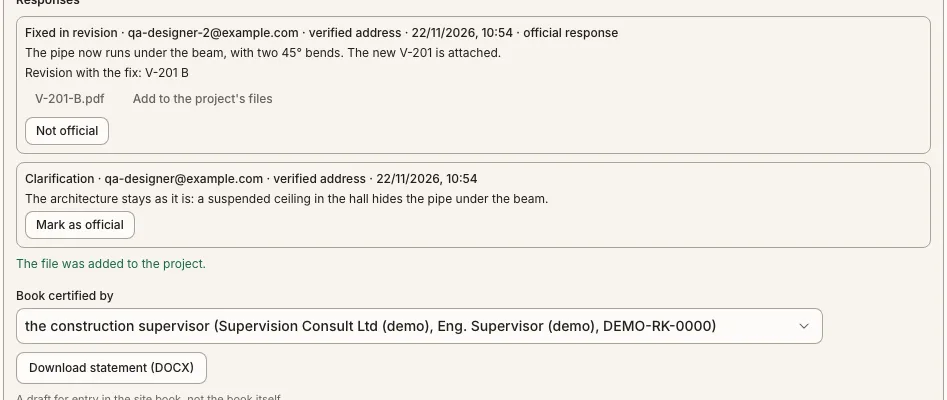
The answers arrive under Designers, with their address, time and kind. An attached PDF or DWG joins the project's documents with Add to the project's files, under the designer's part. Mark as official makes an answer the official one: from it, Download statement (DOCX) downloads a statement as a Word document for the site book. The photo of the signed page is attached below it.
Revoke a link
A link that should no longer work is stopped with Revoke: it becomes inactive and the designer can no longer open the question through it. Their answers stay.