All guidesBy roleSheet 6.02
Run your own project as a builder
A builder can run the house they build for a client as a project of their own: the same bill, schedule, acts and protocols as an investor's, with the money read from the builder's side.
The builder's project
In the project's settings, set Commercial role in the project to Contractor and save. The pages below then read the money as the builder's.

The work done and certified
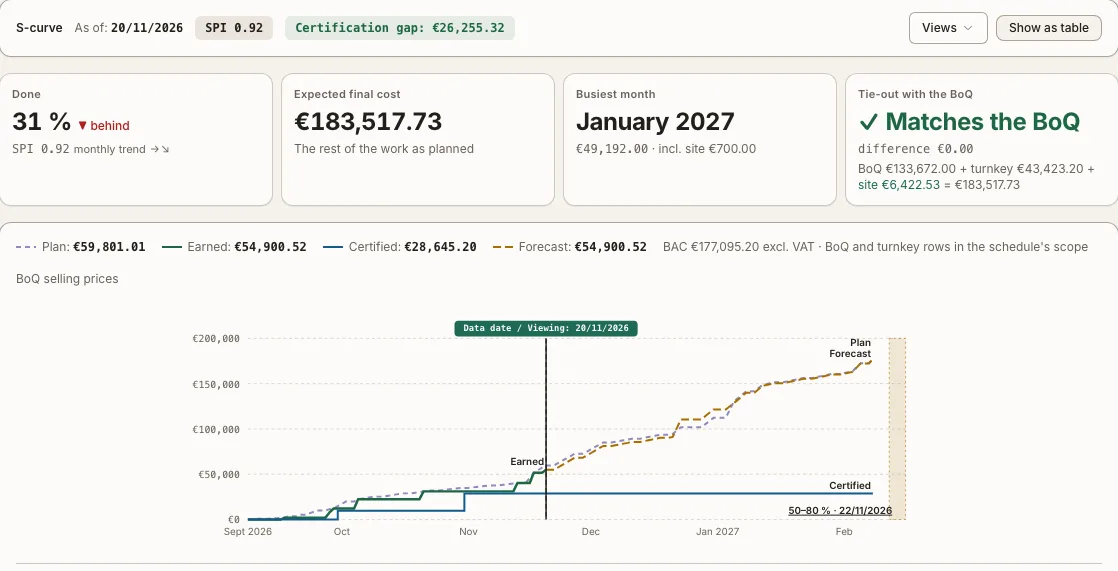
The S-curve sets the value of the work done and of the work certified in protocols against the plan, with the schedule index (SPI), the busiest month and the expected final value: on a builder's project it is what you are owed for and when.
The site's running costs
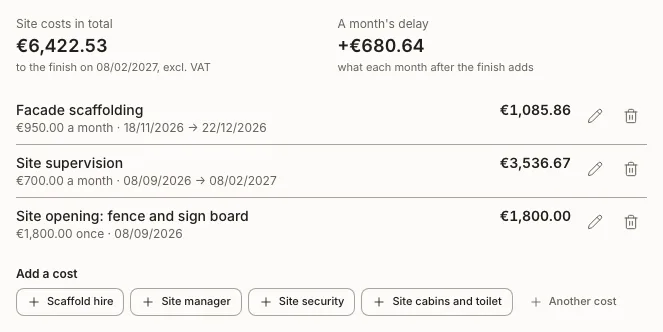
On the S-curve, Site costs… in the page's menu lists what the site costs while it runs: the scaffolding, the site manager, security, the cabins. It adds them up and shows what a month of delay costs.
The net cash flow
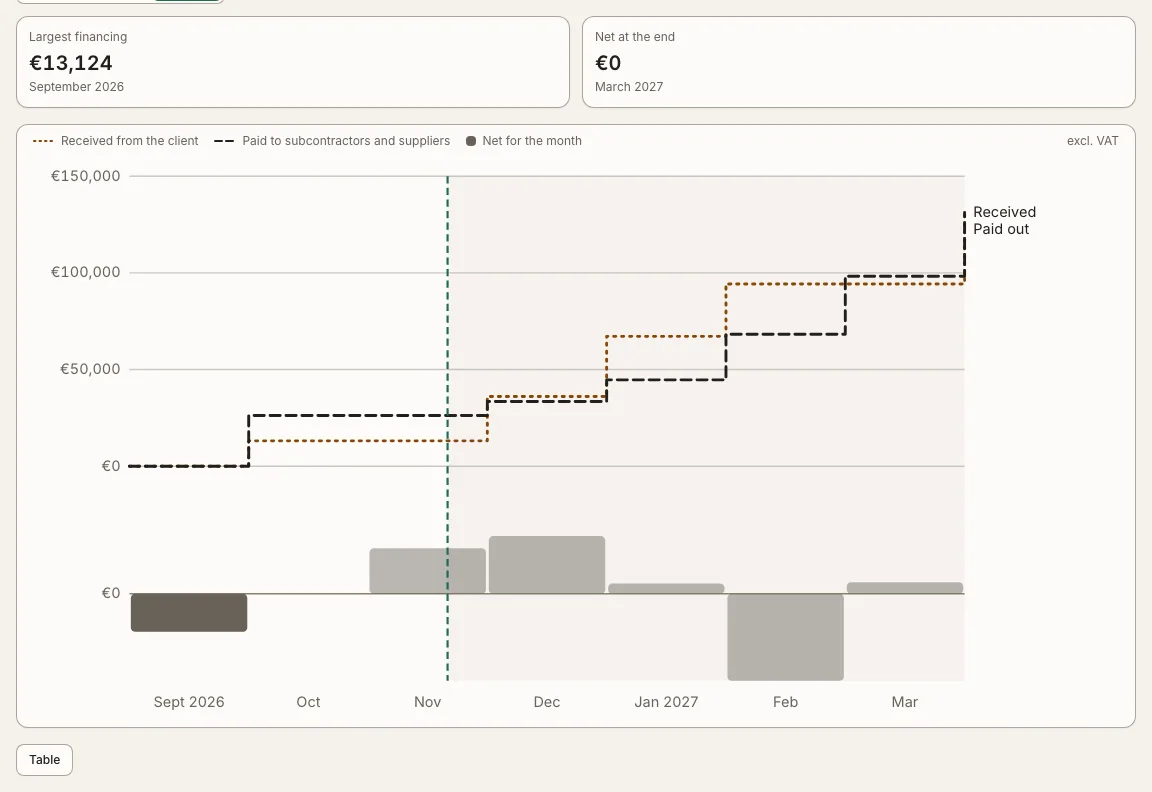
On the S-curve, Net cash sets what the client pays you against what you pay your suppliers and subcontractors, month by month, and how much you have to finance meanwhile.
The client's payments
Open a signed Протокол 19 in Protocols 19: its payment reads as money received. In Mark as received, enter the day the client paid; Remove takes it back. Certify payment with Protocol 19 walks the protocols in full.
